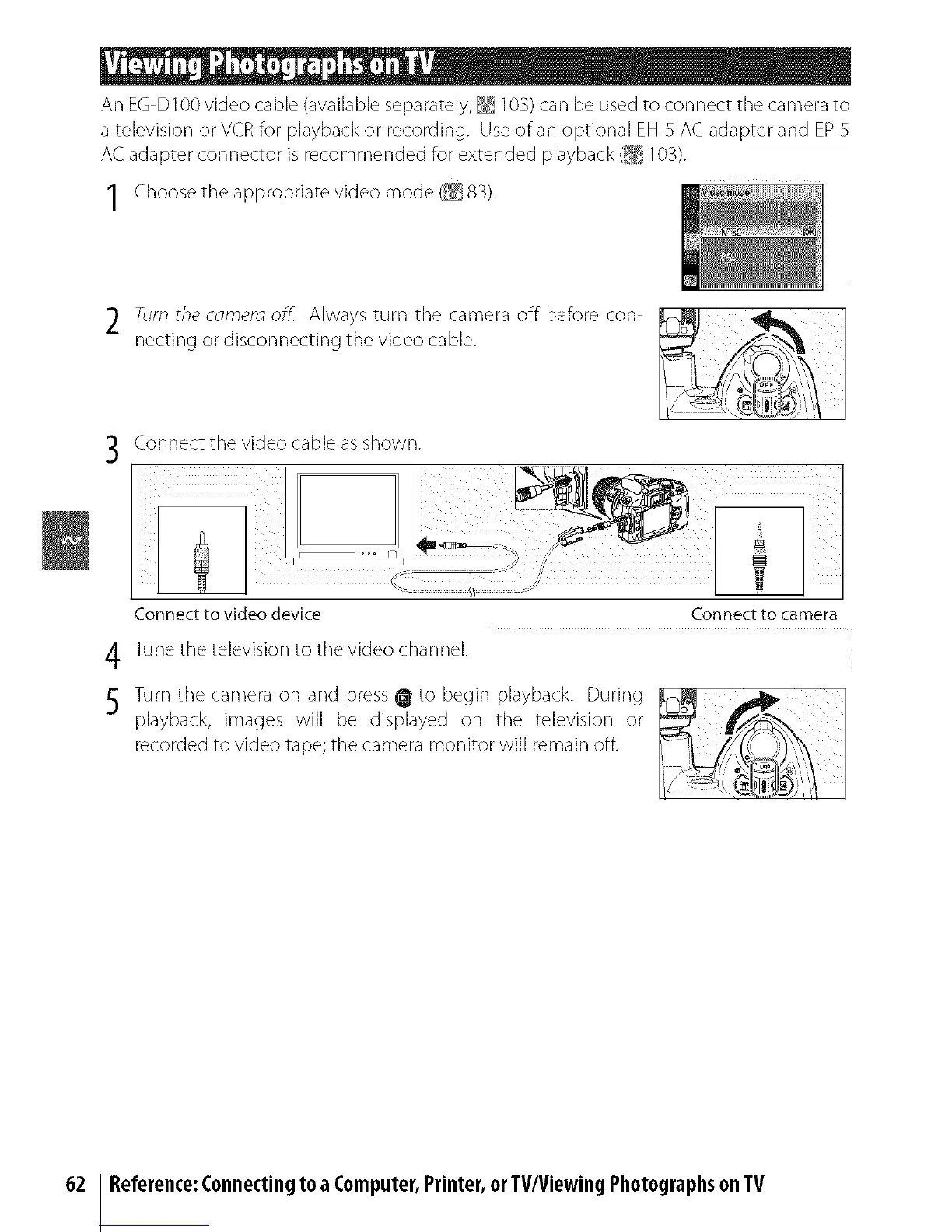
An EG D100 video cable (available separately; _ 103) can be used to connect the camera to
a television or VCR for playback or recording. Use of an optional EH 5 AC adapter and EP 5
AC adapter connector is recommended for extended playback (_ 103).
1 Choose the appropriate video mode (_ 83).
2 Turn the comero off. Always turn tt]e camera off before con
netting or disconnecting the video cable.
Connect tt_e video cable as shown.
Connect to video device Connect to camera
4 Tune the television to the video channel.
5 Turn tt_e camera on and press _ to begin playback. During
playback, images will be displayed on the television or
recorded to video tape; the camera monitor will remain offi
62 Reference:Connectingto a Computer,Printer,orTV/ViewingPhotographsonTV



 To Next Page