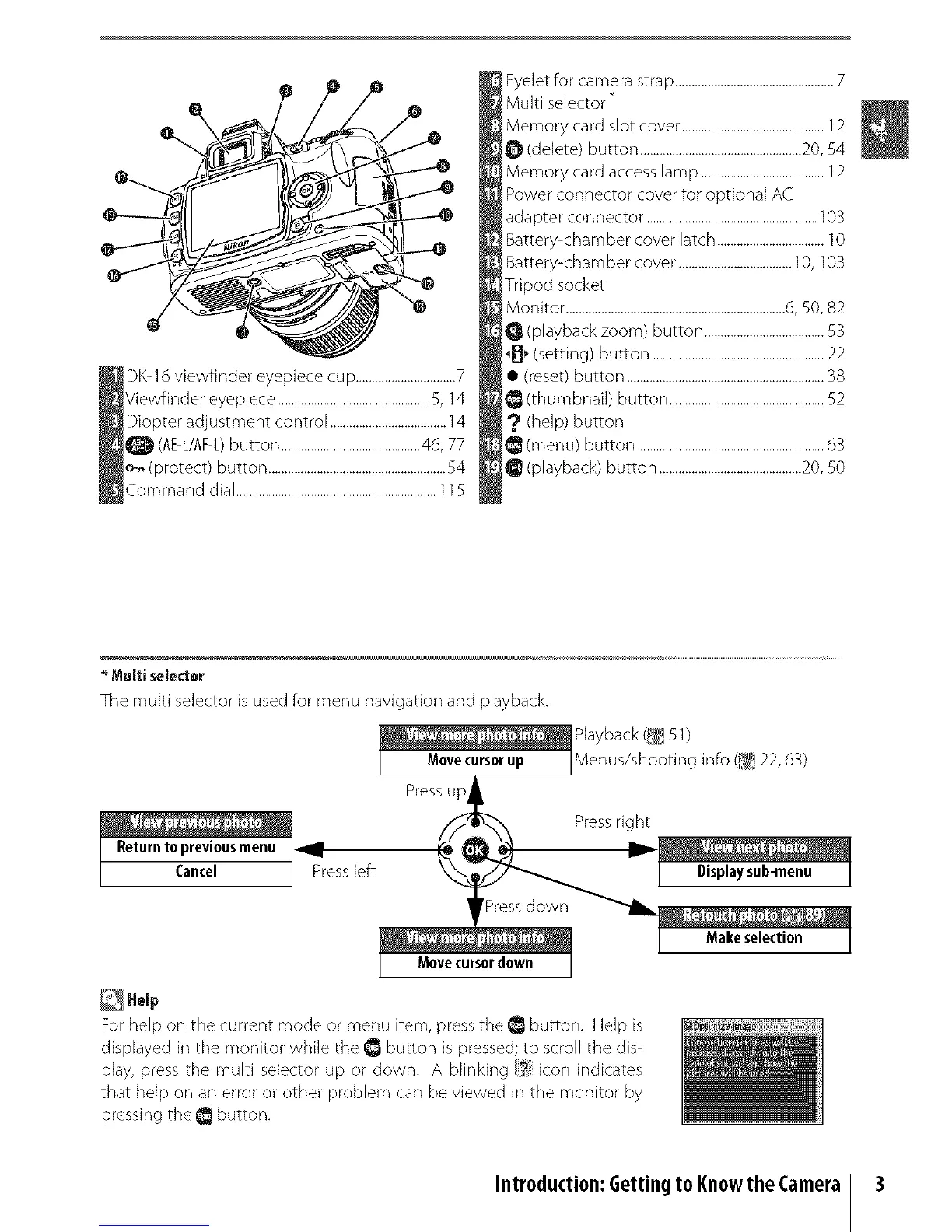
DK-16 viewfinder eyepiece cup ...............................7
Viewfinder eyepiece ...............................................5, 14
Diopter adjustment control ....................................14
Q (AE-L/AF-L)button ...........................................46, 77
o-_(protect) button .......................................................54
Command dial ..............................................................115
Eyelet for camera strap .................................................7
Multi selector _
Memory card slot cover ............................................12
O (delete) button ..................................................20, 54
Mernory card access lamp ......................................12
Power connector cover for optional AC
adapter connector .....................................................103
Battery-chamber cover latch .................................10
Battery-chamber cover ...................................10, 103
Tripod socket
Monitor ....................................................................6, 50, 82
(playback zoom) button .....................................53
_B_ (setting) button .....................................................22
• (reset) button .............................................................38
(thumbnail) button ................................................52
? (help) button
@ (menu) button ..........................................................63
(playback) button ............................................20, 50
Multi selecter
The multi selector is used for menu navigation and playback.
_ _aeYr_ui_tl_/1)g info (_,_!22,63)
Press up
/_ _ Press right
Presslert I Disp]aysublmenu I
Help
For help on the current mode or menu item, press the _ button. Help is
displayed in the monitor while the _ button is pressed; to scroll the dis-
play, press the multi selector up or down. A blinking icon indicates
that help on an error or other problem can be viewed in the monitor by
pressing the@ button.
Introduction:Gettingto KnowtheCamera 3



 To Next Page