105
N
Focus Lock
Focus lock can be used to change the composition after focusing,
making it possible to focus on a subject that will not be in a focus
point in the final composition.
If the camera is unable to focus
using autofocus (0 107), focus lock can also be used to recompose
the photograph after focusing on another object at the same
distance as your original subject.
Focus lock is most effective
when an option other than auto-area AF is selected for AF-area
mode (0 100).
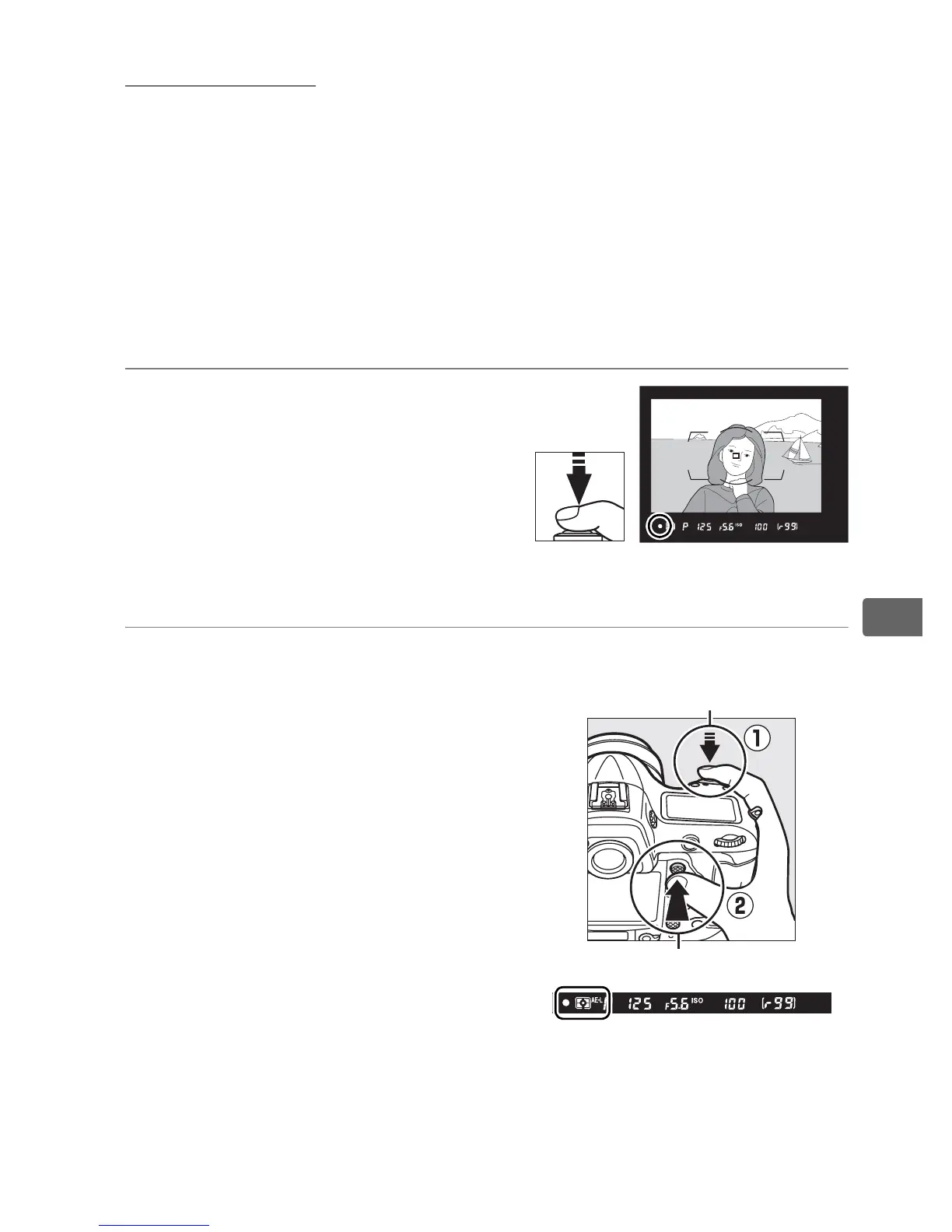
1 Focus.
Position the subject in the
selected focus point and press
the shutter-release button
halfway to initiate focus.
Check
that the in-focus indicator (I )
appears in the viewfinder.
2 Lock focus.
AF-C focus mode (0 97): With the
shutter-release button pressed
halfway (q), press the center of
the sub-selector (w) to lock
both focus and exposure (an
AE-L icon will be displayed in the
viewfinder).
Focus will remain
locked while the center of the
sub-selector is pressed, even if
you later remove your finger
from the shutter-release button.
Shutter-release button
Center of sub-selector



 To Next Page