74
y
Movie Settings
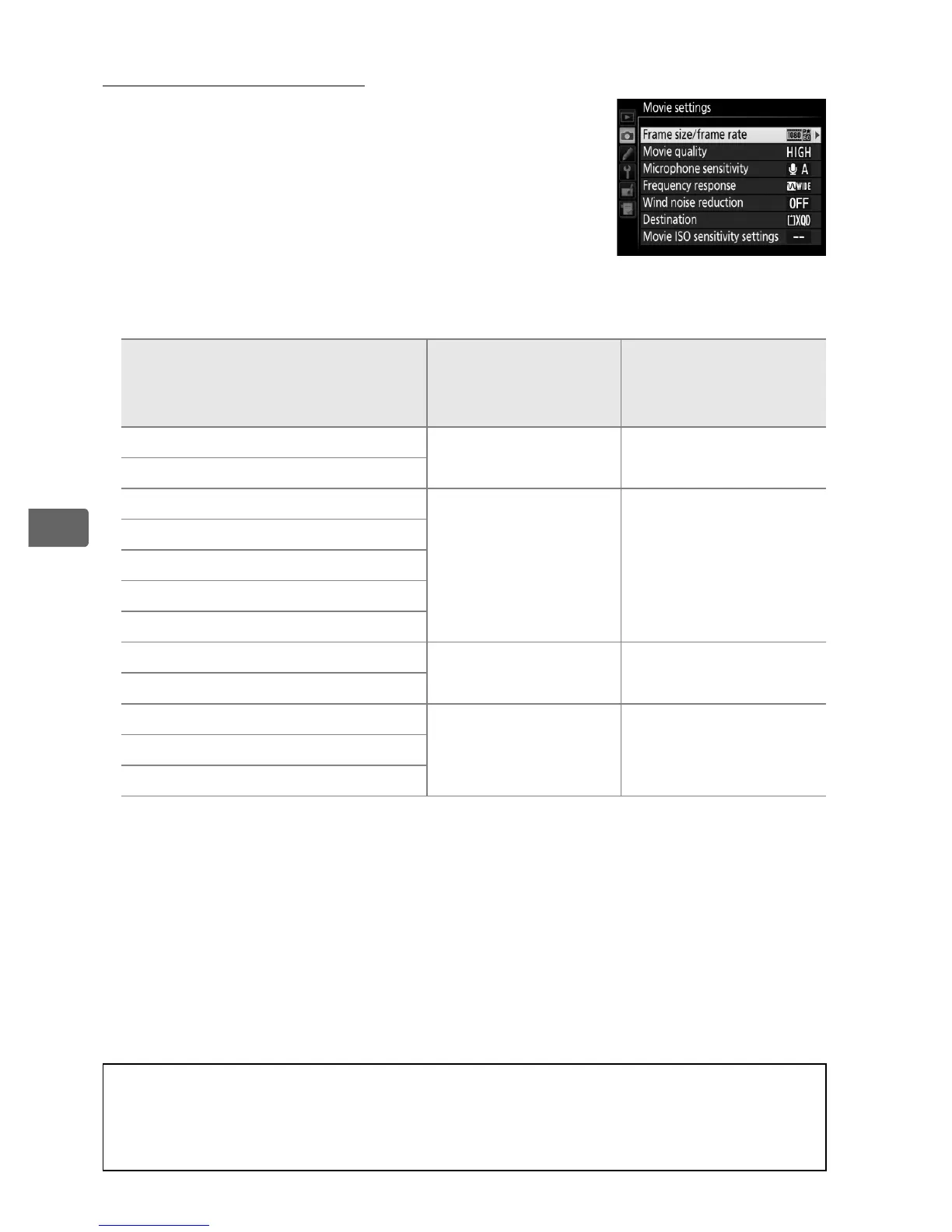
Use the Movie settings option in the
shooting menu (0 299) to adjust the
following settings.
• Frame size/frame rate, Movie quality: Choose from the following
options:
Option
1
Maximum bit rate
(Mbps) (★ high
quality/Normal)
Maximum length
(★ high quality/
Normal)
y/y 1920 × 1080; 60p
2
42/24 10 min./20 min.
z/z 1920 × 1080; 50p
2
1/1 1920 × 1080; 30p
2
24/12
20 min./
29 min. 59 s
2/2 1920 × 1080; 25p
2
3/3 1920 × 1080; 24p
2
4/4 1280 × 720; 60p
5/5 1280 × 720; 50p
6/o 640 × 424; 30p
8/5
29 min. 59 s/
29 min. 59 s
7/p 640 × 424; 25p
8/8 1920 × 1080; 30p crop
3
24/12
20 min./
29 min. 59 s
9/9 1920 × 1080; 25p crop
3
1/! 1920 × 1080; 24p crop
3
1 Actual frame rate is 29.97 fps for values listed as 30p, 23.976 fps for values listed as
24p, and 59.94 fps for values listed as 60p.
2 In DX-based movie format, image quality is equivalent to movies recorded at a
frame size of 1280 × 720.
3 Matrix metering selected automatically.
Picture angle equivalent to a focal length
2.7× FX-based movie format length, allowing a telephoto effect without changing
to a longer lens; h is displayed in the monitor.
HDR is not available with photos
taken in this mode (0 190).
D Frame Size and Rate
Frame size and rate affects the distribution and amount of noise
(randomly-spaced bright pixels, fog, or bright spots).



 To Next Page