229
t
Time-Lapse Photography
The camera automatically takes photos at selected intervals to
create a silent time-lapse movie using the options currently
selected for Frame size/frame rate, Movie quality, and
Destination in the movie settings menu (0 74).
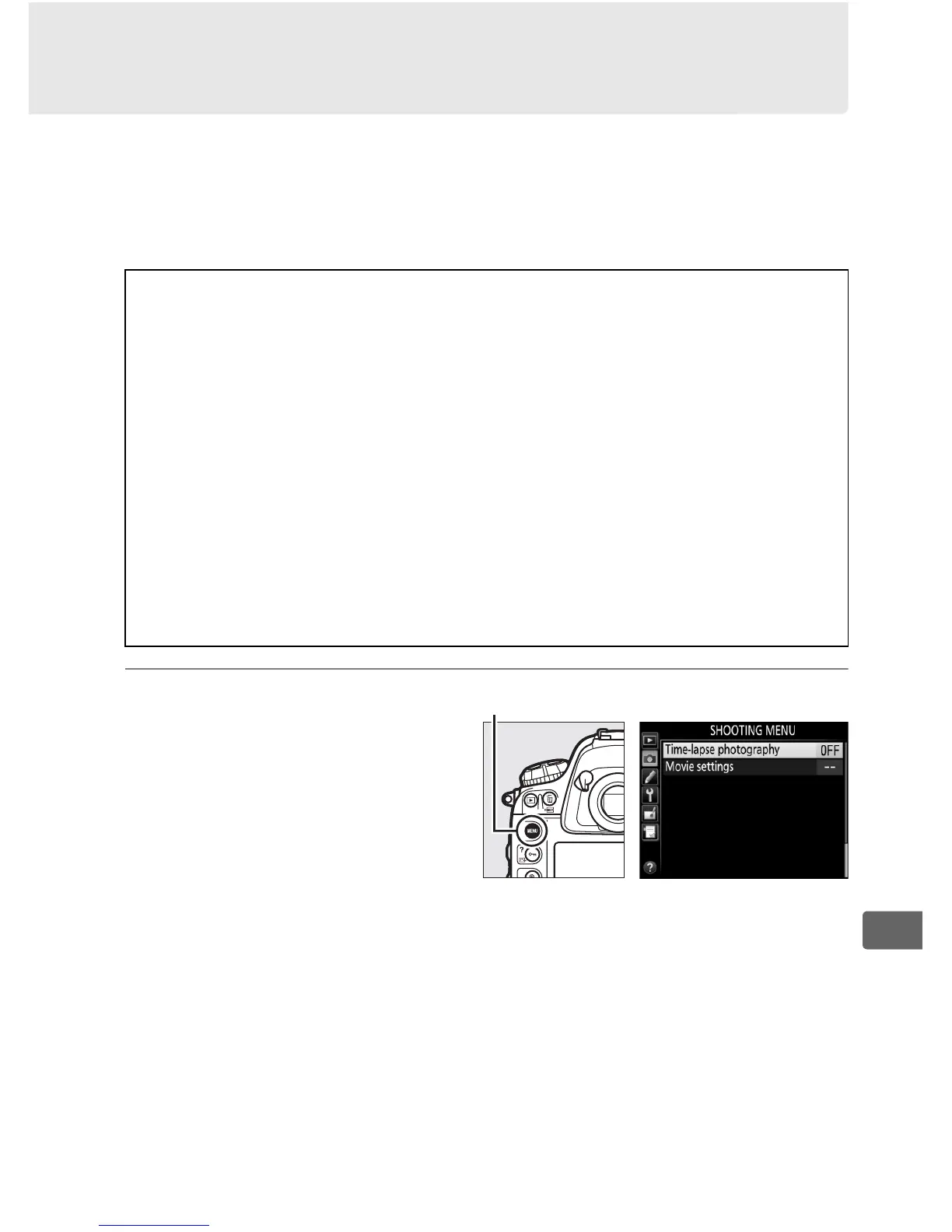
1 Select Time-lapse
photography in the
shooting menu.
Press the G button to
display the menus.
Highlight Time-lapse
photography in the
shooting menu and press 2.
A Before Shooting
Before beginning time-lapse photography, take a test shot at current
settings (framing the photo in the viewfinder for an accurate exposure
preview) and view the results in the monitor.
To record changes in
brightness, choose manual exposure (0 130); for consistent coloration,
choose a white balance setting other than auto (0 155).
We also
recommend that you briefly switch to movie live view and check the
current image area crop in the monitor (0 63); note, however, that
time-lapse photography is not available in live view.
Use of a tripod is recommended.
Mount the camera on a tripod before
shooting begins.
To ensure that shooting is not interrupted, use an
optional AC adapter and power connector or a fully-charged battery.
G button



 To Next Page