k
111
k
Release Mode
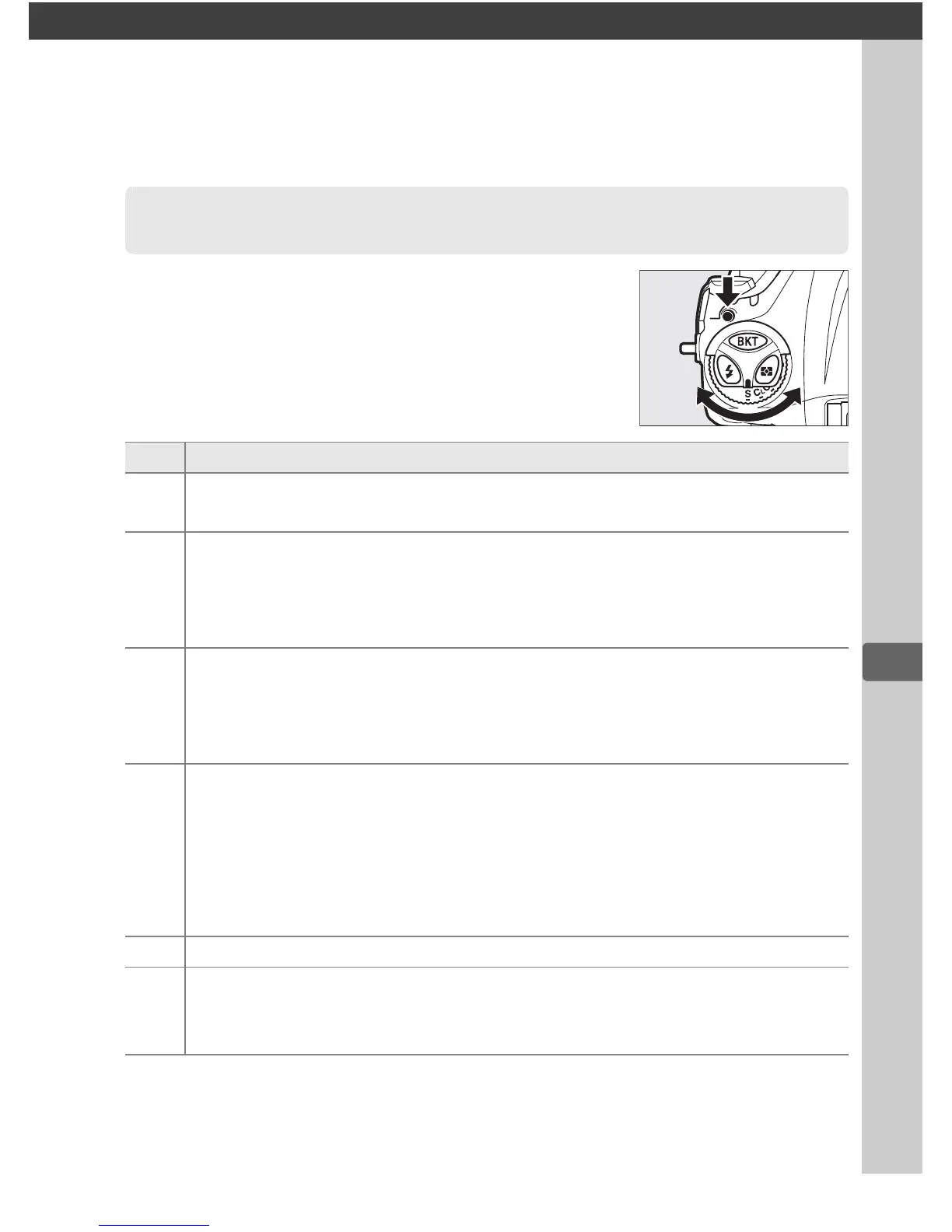
To choose a release mode, press the release
mode dial lock release and turn the release
mode dial to the desired setting.
Choosing a Release Mode
Mode Description
S
Single frame: Camera takes one photograph each time shutter-
release button is pressed.
CL
Continuous low speed: While shutter-release button is held down,
camera records photographs at the frame rate selected for Custom
Setting d2 (Continuous shooting speed, 0 326) > Continuous
low-speed (0 112).
C
H
Continuous high speed: While shutter-release button is held down,
camera records photographs at the frame rate selected for Custom
Setting d2 (Continuous shooting speed, 0 326) > Continuous
high-speed (0 112).
Use for active subjects.
J
Quiet shutter-release: As for single frame, except that mirror does not
click back into place while shutter-release button is fully pressed,
allowing user to control timing of click made by mirror, which is
also quieter than in single frame mode.
In addition, beep does not
sound regardless of setting selected for Custom Setting d1 (Beep;
0 326).
E Self-timer: Take pictures with the self-timer (0 114).
MUP
Mirror up: Choose this mode to minimize camera shake in telephoto
or close-up photography or in other situations in which the slightest
camera movement can result in blurred photographs (0 116).



 To Next Page