420
n
❚❚ Manual Cleaning
If foreign matter can not be removed from the low-pass filter using
the Clean image sensor (0 417) option in the setup menu, the
filter can be cleaned manually as described below.
Note, however,
that the filter is extremely delicate and easily damaged.
Nikon
recommends that the filter be cleaned only by Nikon-authorized
service personnel.
1 Charge the battery or connect an AC adapter.
A reliable power source is required when inspecting or
cleaning the low-pass filter.
Turn the camera off and insert a
fully-charged battery or connect an optional AC adapter and
power connector.
The Lock mirror up for cleaning option is
only available in the setup menu at battery levels over J.
2 Remove the lens.
Turn the camera off and remove the lens.
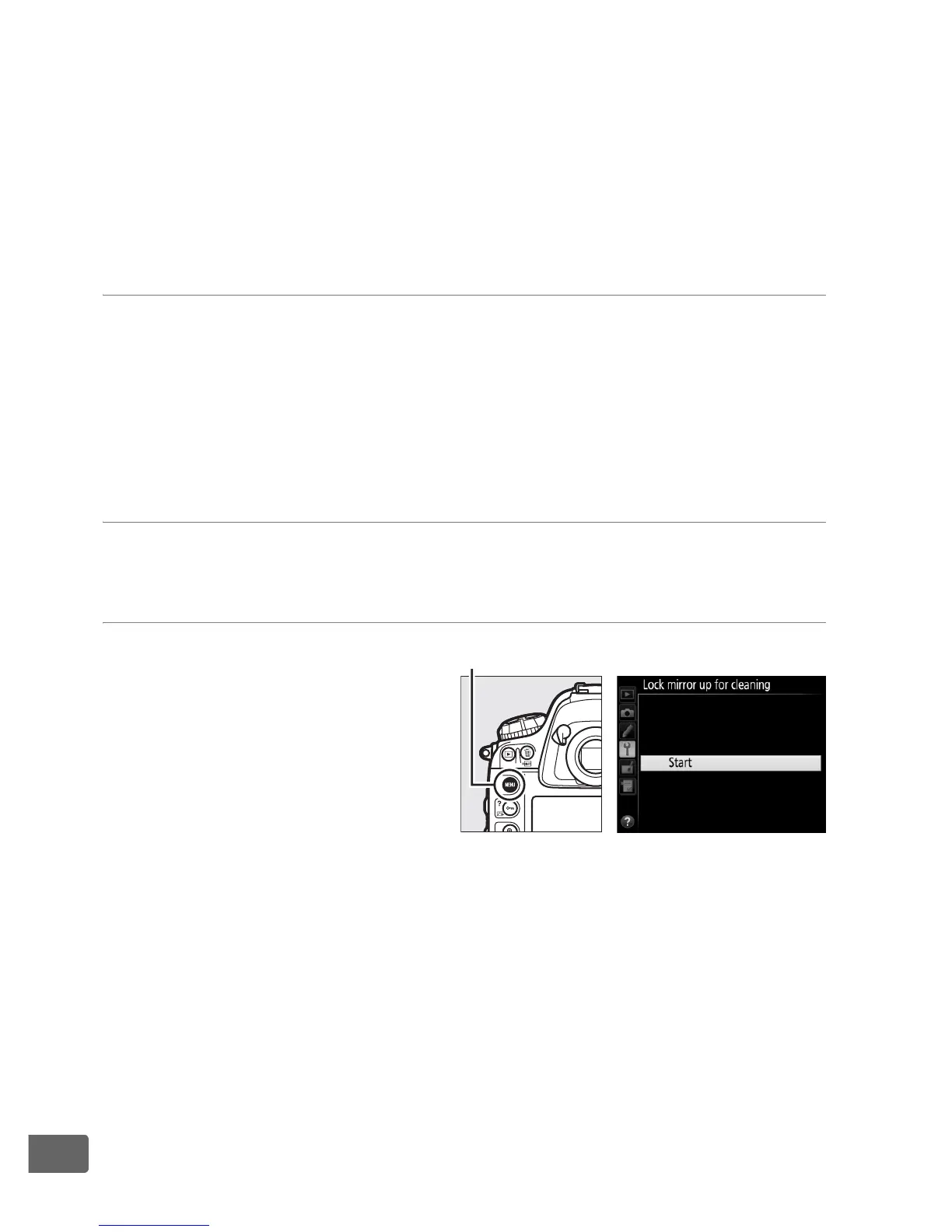
3 Select Lock mirror up
for cleaning.
Turn the camera on and
press the G button to
display the menus.
Highlight Lock mirror up
for cleaning in the setup
menu and press 2.
G button



 To Next Page