67
y
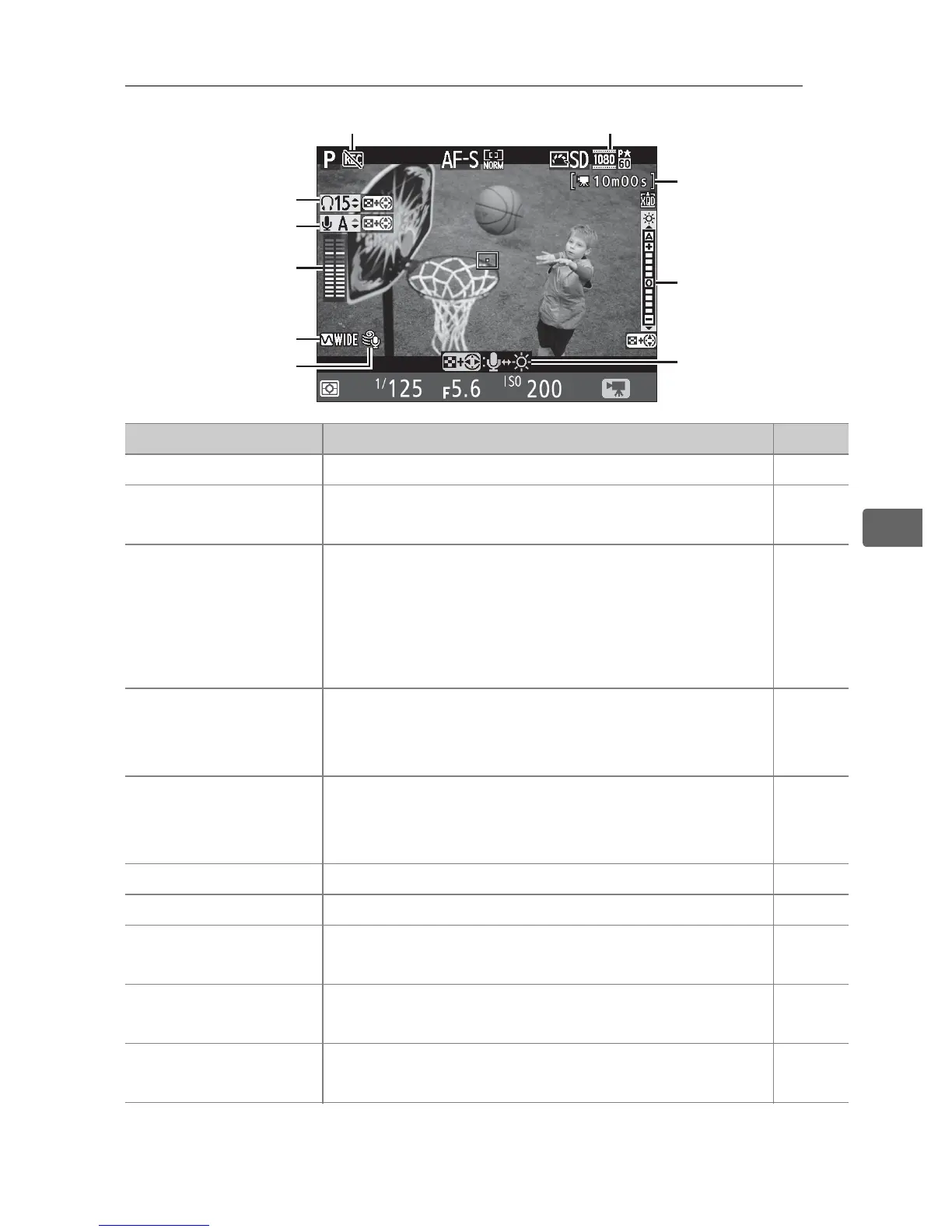
The Live View Display: Movie Live View
Item Description 0
q
Headphone volume Volume of audio output to headphones. 68
w
Microphone
sensitivity
Microphone sensitivity for movie recording. 68
e
Sound level
Sound level for audio recording.
Displayed
in red if level is too high; adjust microphone
sensitivity accordingly.
Left (L) and right (R)
channel indicators appear when optional
ME-1 or other stereo microphone is used.
68
r
Frequency
response
Display the option selected for Movie
settings > Frequency response in the
shooting menu.
75
t
Wind noise
reduction
Displayed when On is selected for Movie
settings > Wind noise reduction in the
shooting menu.
75
y
“No movie” icon Indicates that movies can not be recorded. —
u
Movie frame size The frame size for movie recording. 74
i
Time remaining
(movie live view)
The recording time available for movies. 65
o
Monitor brightness
indicator
A monitor brightness indicator. 68
!0
Guide
A guide to the options available during
movie live view.
68
t
q
w
r
e
u
y
o
i
!0



 To Next Page