68
y
❚❚ Adjusting Settings in the Live View Display
Microphone sensitivity, headphone volume, and monitor
brightness can be adjusted as described below.
Note that
headphone volume can not be adjusted during recording, and
that brightness affects the monitor only (0 57); pictures recorded
with the camera are unaffected. If an option other than
I (microphone off) is currently selected, microphone sensitivity
can be changed to any setting other than I while recording is in
progress.
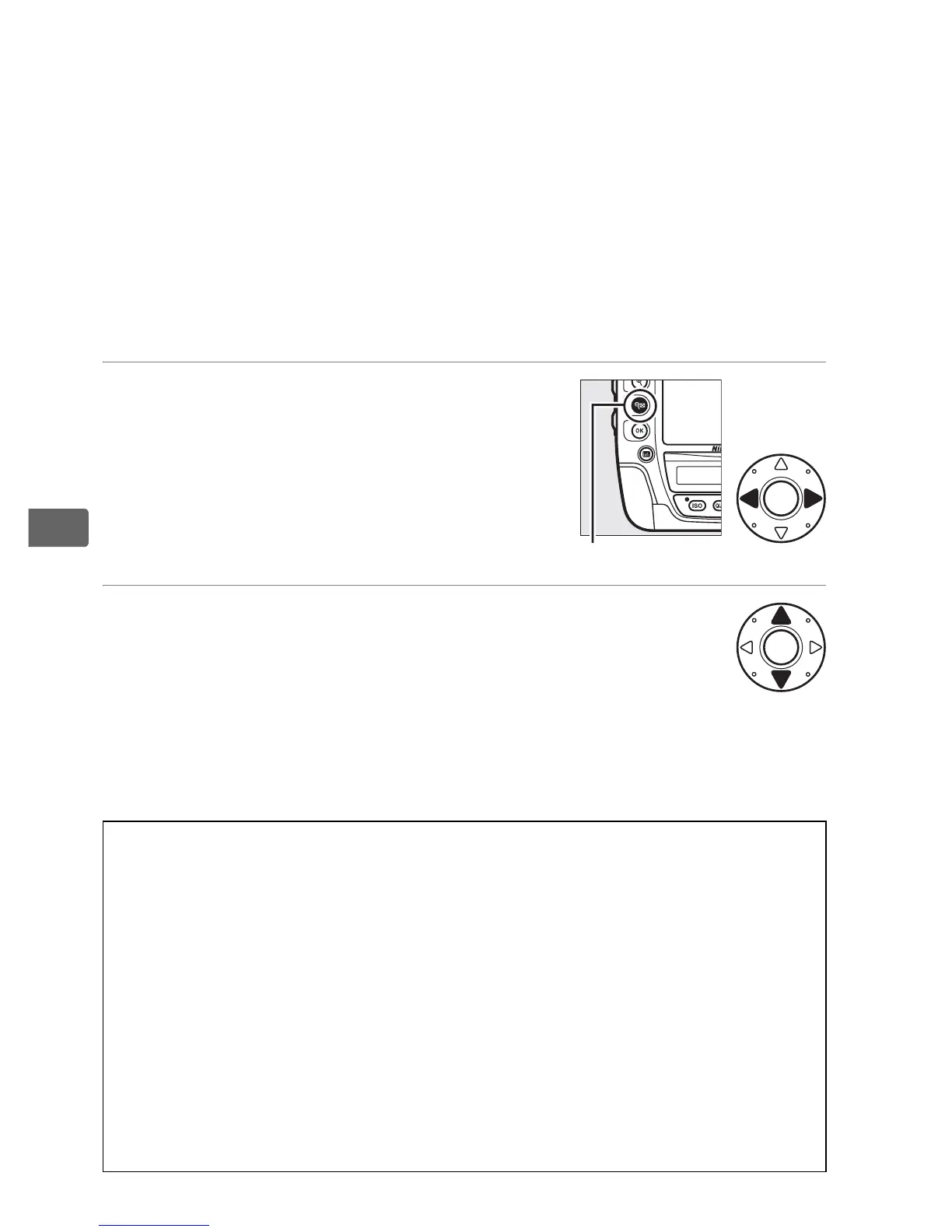
1 Highlight a setting.
Press and hold W and press 4 or 2 to
highlight the indicator for the desired
setting.
2 Adjust the highlighted setting.
Keeping the W button pressed, press
1 or 3 to adjust the highlighted
setting.
A Headphones
Third-party headphones can be used.
Note that high sound levels may
result in high volume; particular care should be taken when
headphones are used.
D The Count-Down Display
A count down will be displayed 30 s before live view ends automatically
(0 55).
Depending on shooting conditions, the timer may appear
immediately when movie recording begins.
Note that regardless of the
amount of recording time available, live view will still end automatically
when the timer expires.
Wait for the internal circuits to cool before
resuming movie recording.
W button



 To Next Page