373
U
Fine-tune focus for up to 20 lens types.
AF tuning is not
recommended in most situations and may interfere with normal
focus; use only when required.
AF Fine-Tune
G button ➜ B setup menu
Option Description
AF fine tune
(On/Off)
• On: Turn AF tuning on.
• Off: Turn AF tuning off.
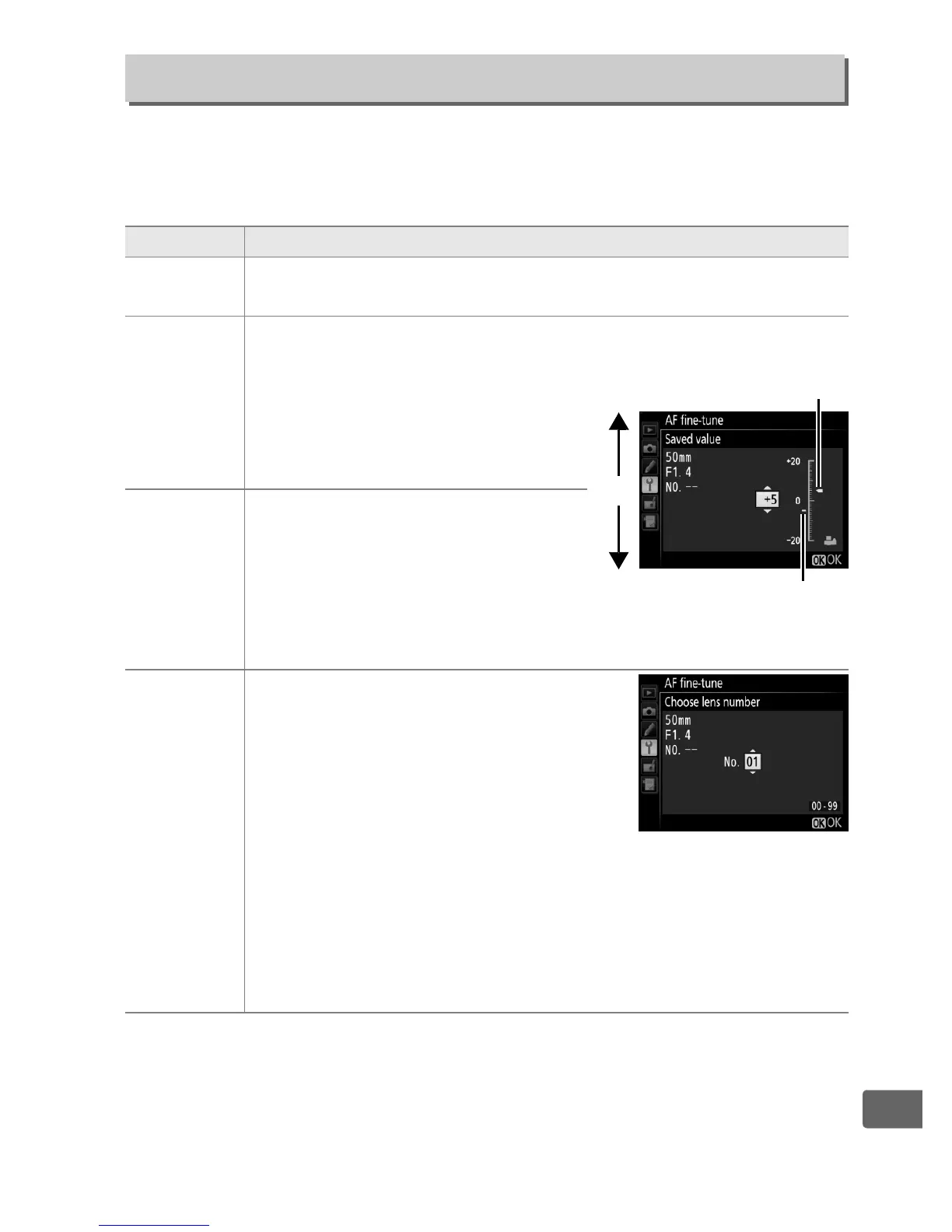
Saved value
Tune AF for the current lens (CPU
lenses only).
Press
1
or
3
to
choose a value between +20 and
–20. Values for up to 20 lens types
can be stored.
Only one value can
be stored for each type of lens.
Default
Choose the AF tuning value used
when no previously saved value
exists for the current lens (CPU
lenses only).
List saved
values
List previously saved AF tuning values.
To delete a lens from the list, highlight
the desired lens and press
O
(
Q
). To
change a lens identifier (for example,
to choose an identifier that is the same
as the last two digits of the lens serial
number to distinguish it from other
lenses of the same type in light of the fact that
Saved value
can be used with only one lens of each type), highlight the
desired lens and press
2
.
The menu shown at right will be
displayed; press
1
or
3
to choose an identifier and press
J
to
save changes and exit.
Move focal
point away
from camera.
Current
value
Move focal
point toward
camera.
Previous
value



 To Next Page