136
Z
Autoexposure (AE) Lock
Use autoexposure lock to recompose photographs after using
center-weighted metering and spot metering (0 123) to meter
exposure.
Note that matrix metering will not produce the desired
results.
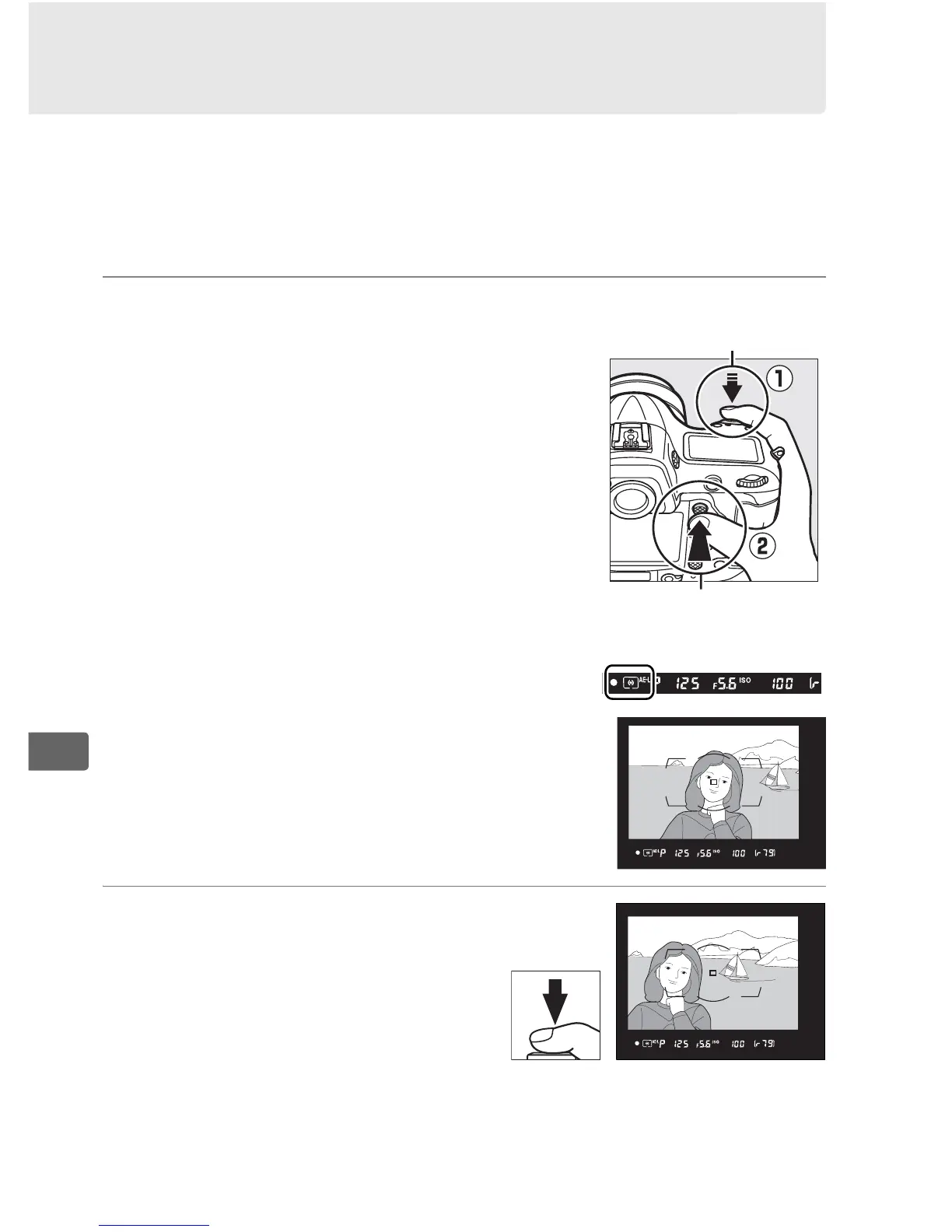
1 Lock exposure.
Position the subject in the selected
focus point and press the shutter-
release button halfway.
With the
shutter-release button pressed halfway
and the subject positioned in the focus
point, press the center of the sub-
selector to lock exposure (if you are
using autofocus, confirm that the I in-
focus indicator appears in the
viewfinder).
While exposure lock is in effect, an AE-L
indicator will appear in the viewfinder.
2 Recompose the
photograph.
Keeping the center of the sub-
selector pressed, recompose
the photograph and shoot.
Shutter-release
button
Center of sub-
selector



 To Next Page