75
y
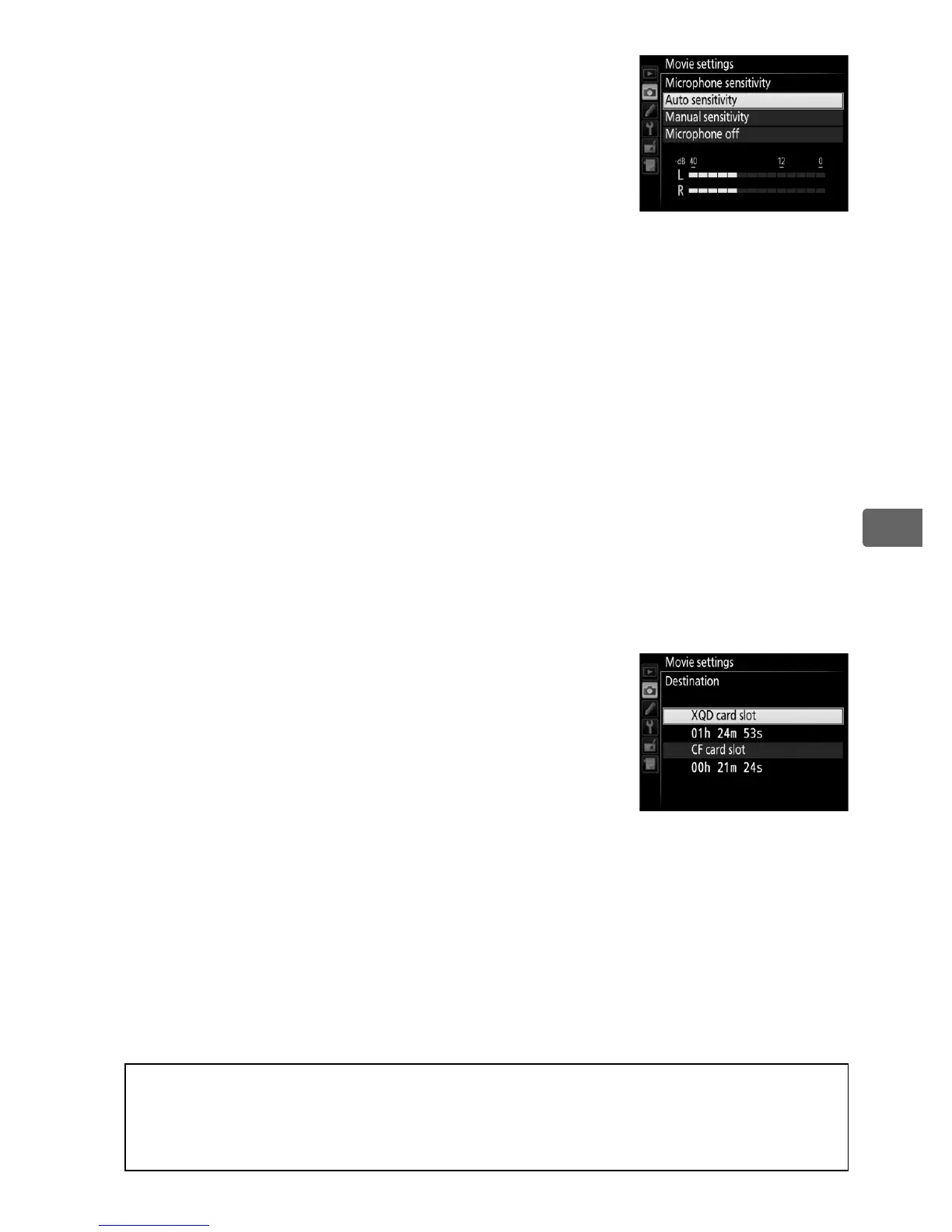
• Microphone sensitivity: Turn the built-in or
optional stereo microphones (0 413) on or
off or adjust microphone sensitivity.
Choose Auto sensitivity to adjust
sensitivity automatically, Microphone off
to turn sound recording off; to select
microphone sensitivity manually, select Manual sensitivity and
choose a sensitivity.
• Frequency response: If S Wide range is selected, the built-in
microphone and optional stereo microphones (0 413) will
respond to a wide range of frequencies, from music to the
bustling hum of a city street.
Choose T Vocal range to bring
out human voices.
• Wind noise reduction: Select On to enable the low-cut filter for the
built-in microphone (optional stereo microphones are
unaffected), reducing noise produced by wind blowing over the
microphone (note that other sounds may also be affected).
Wind-noise reduction for optional stereo microphones can be
enabled or disabled using microphone controls.
• Destination: Choose the slot to which movies
are recorded.
The menu shows the time
available on each card; recording ends
automatically when no time remains.
Note
that regardless of the option selected,
photographs are recorded to the card in the
primary slot (0 96).
A Using an External Microphone
The optional ME-1 stereo microphone can be used to record sound in
stereo or to avoid recording lens noise caused by autofocus (0 413).



 To Next Page