15
X
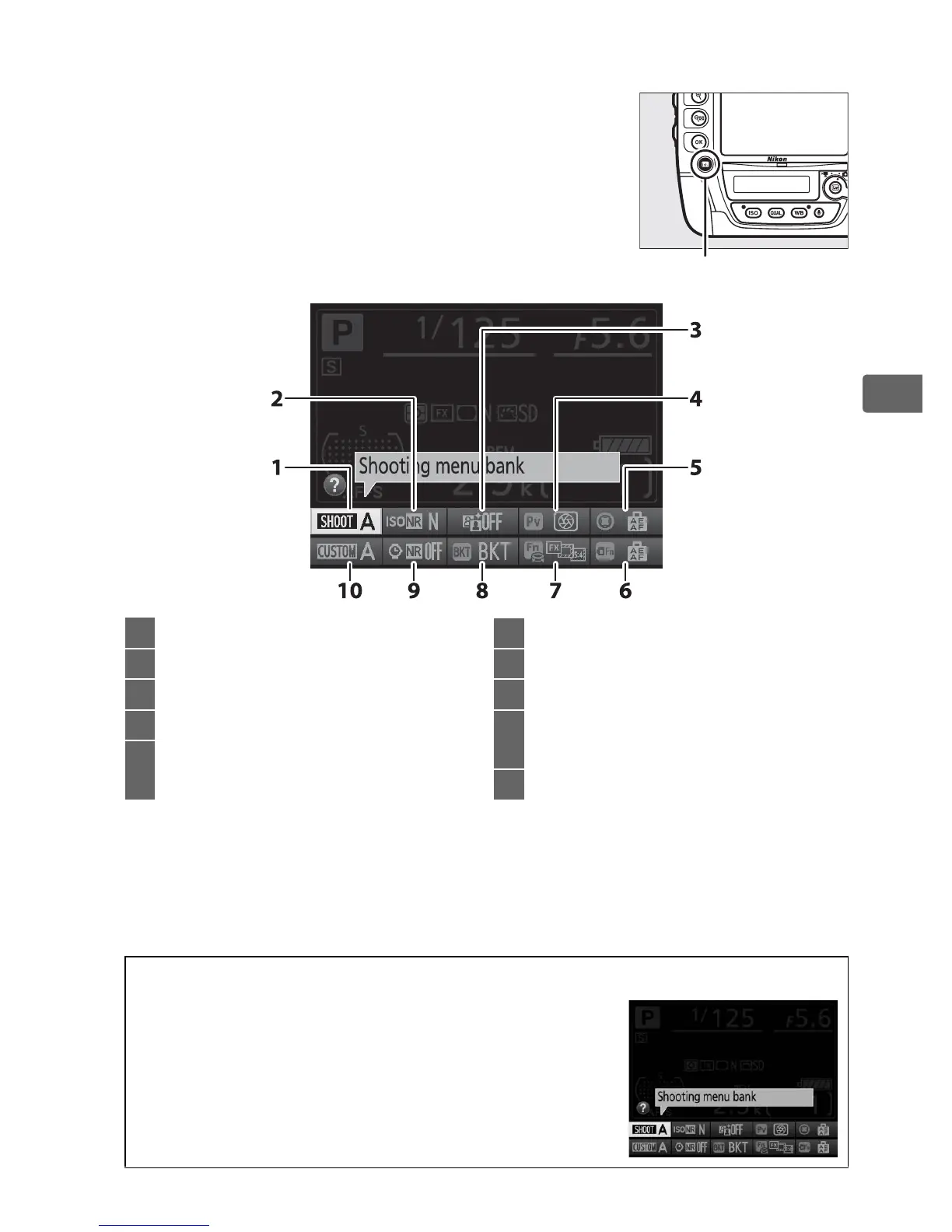
❚❚ Changing Settings in the Information Display
To change settings for the items listed below,
press the R button in the information
display.
Highlight items using the multi
selector and press J to view options for the
highlighted item.
R button
1 Shooting menu bank.................. 300
2 High ISO noise reduction........... 308
3 Active D-Lighting......................... 188
4 Pv button assignment ................ 342
5 Sub-selector center
assignment.................................... 342
6 Fn button (vert.) assignment .... 343
7 Fn button assignment................. 337
8 D button assignment............. 344
9 Long exposure noise
reduction ....................................... 308
10 Custom settings bank................. 311
A Tool Tips
A tool tip giving the name of the selected item
appears in the information display.
Tool tips can
be turned off using Custom Setting d8 (Screen
tips; 0 329).



 To Next Page