104
The AF-Mode Button
A
Custom Focus Groups: [Group-Area AF (C1)]/[Group-Area AF
(C2)]
•
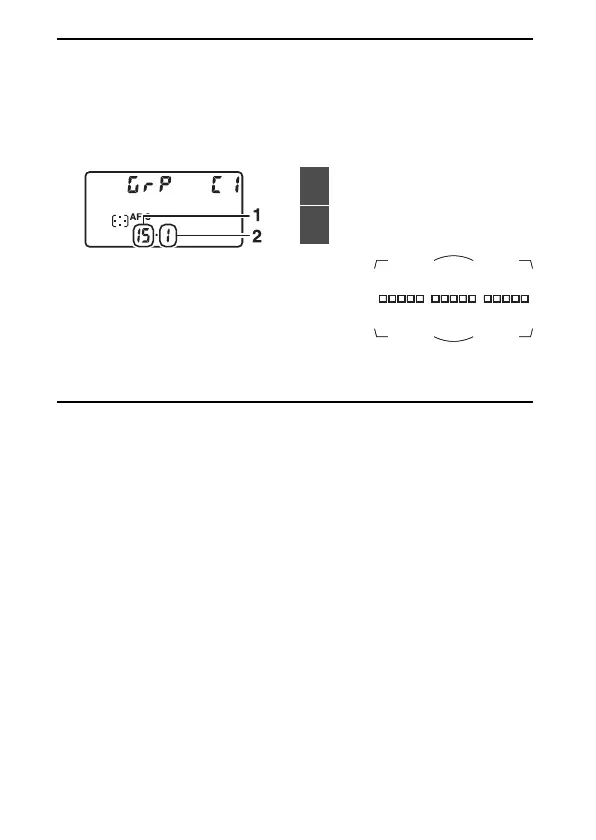
When [Group-area AF (C1)] or [Group-area AF (C2)] is highlighted, you
can adjust the width of the custom focus group by holding the AF-mode
button and pressing
4
or
2
. Press
1
or
3
to choose the height. The
height and width are shown in the top control panel.
•
If you keep your eye to the viewfinder while
choosing the number of focus points, you
can preview the shape of the selected
custom focus group.
•
The number of focus points can also be selected using Custom Setting
a10 [Custom groupings (C1/C2)].
1
Width (number of focus
points)
2
Height (number of focus
points)



 To Next Page