324
Combining Multiple Exposures in a Single Photo (Multiple Exposure)
7
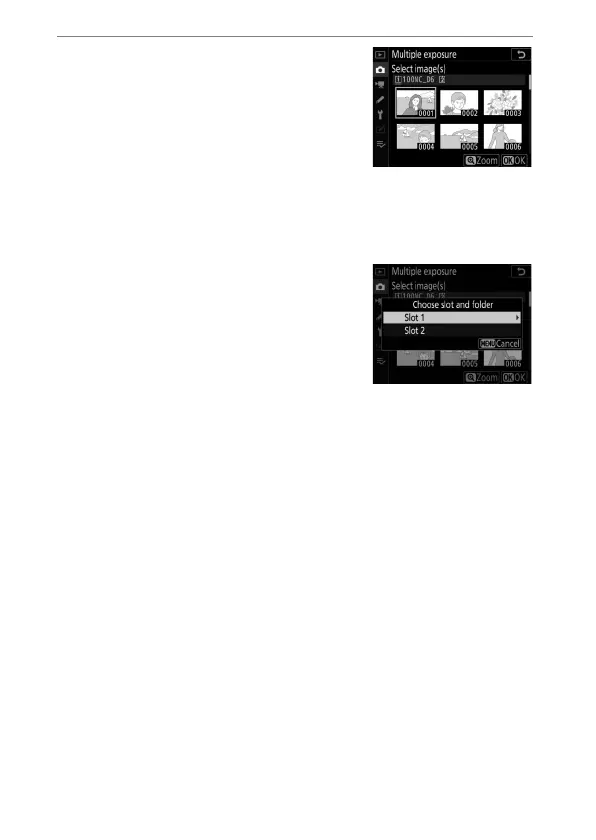
Choose an option for [Select
first exposure (NEF)].
•
To choose the first exposure from
existing NEF (RAW) photos,
highlight [Select first exposure
(NEF)] and press
2
.
•
Use the multi selector to highlight the desired picture.
•
To view the highlighted picture full frame, press and hold
the
X
button.
•
To view pictures in other locations,
press
W
(
M
) and choose the
desired card and folder in the
[Choose slot and folder] dialog.
•
After highlighting the desired
picture, press
J
.
•
If an NEF (RAW) image taken at an ISO sensitivity of Hi 0.3
to Hi 5 is selected as the first exposure, the electronic
shutter will not be used to record the remaining shots even
if [Enable] is selected for Custom Setting d6 [Electronic
front-curtain shutter].


 To Next Page