356
Creating a Movie from Photos (Time-Lapse Movie)
❚❚
Ending Shooting
To end shooting before all the photos are taken, press
J
or
select [Time-lapse movie] in the photo shooting menu,
highlight [Off], and press
J
. Note that the menus may not be
displayed when the
G
button is pressed if the time selected
for [Interval] is very short.
•
A movie will be created from the frames shot to the point
where shooting ended and normal photography will resume.
D
Calculating the Length of the Final Movie
•
The total number of frames in the final movie can be calculated by
dividing the shooting time selected in Step 2 by the interval, rounding
up, and adding 1.
•
The length of the final movie can then be calculated by dividing the
number of shots by the frame rate selected for [Frame size/frame rate]
(for example, a 48-frame movie recorded with [1920
×
1080; 24p]
selected for [Frame size/frame rate] will be about two seconds long).
•
The maximum length for time-lapse movies is 20 minutes.
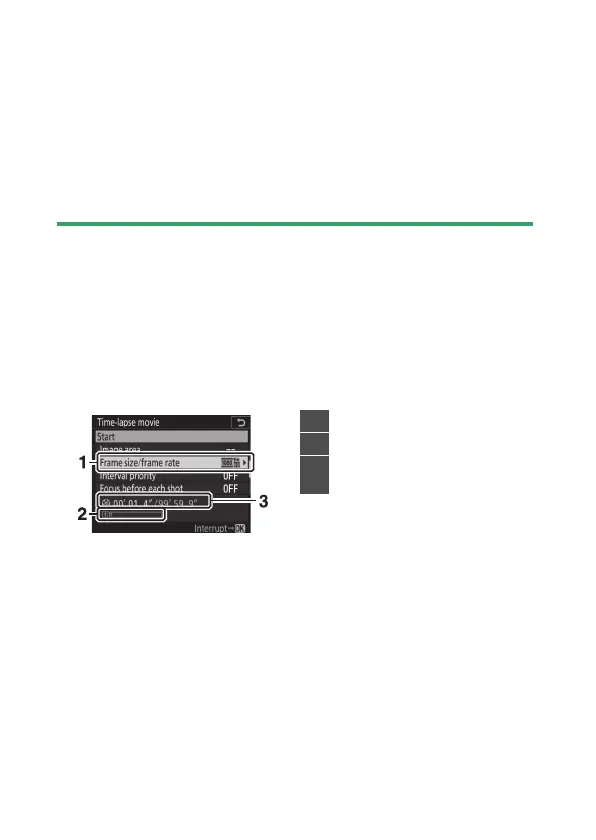
1
Frame size/frame rate
2
Memory card indicator
3
Length recorded/maximum
length



 To Next Page