907
B
The Setup Menu: Camera Setup
Acquiring Image Dust Off Reference Data
1
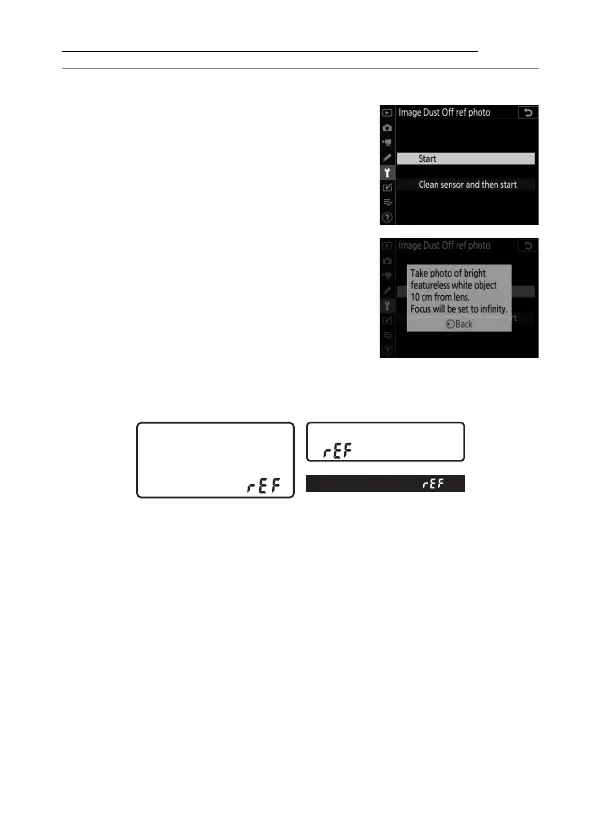
Choose a start option.
•
Highlight [Start] and press
J
to
immediately display the [Image
Dust Off ref photo] dialog.
•
Highlight [Clean sensor and then
start] and press
J
to clean the
image sensor before starting. The
[Image Dust Off ref photo] dialog
will be displayed when image
sensor cleaning is complete.
•
“
F
” will appear in the viewfinder and control panel
displays.
•
To exit without acquiring Image Dust Off reference data,
press
G
.



 To Next Page