- A ・ -
logo_Q0650_forGraphic
071004_Gdesign_ito
VBA21001-R.3753.A
#683×2
#158
#B2006
#354
・
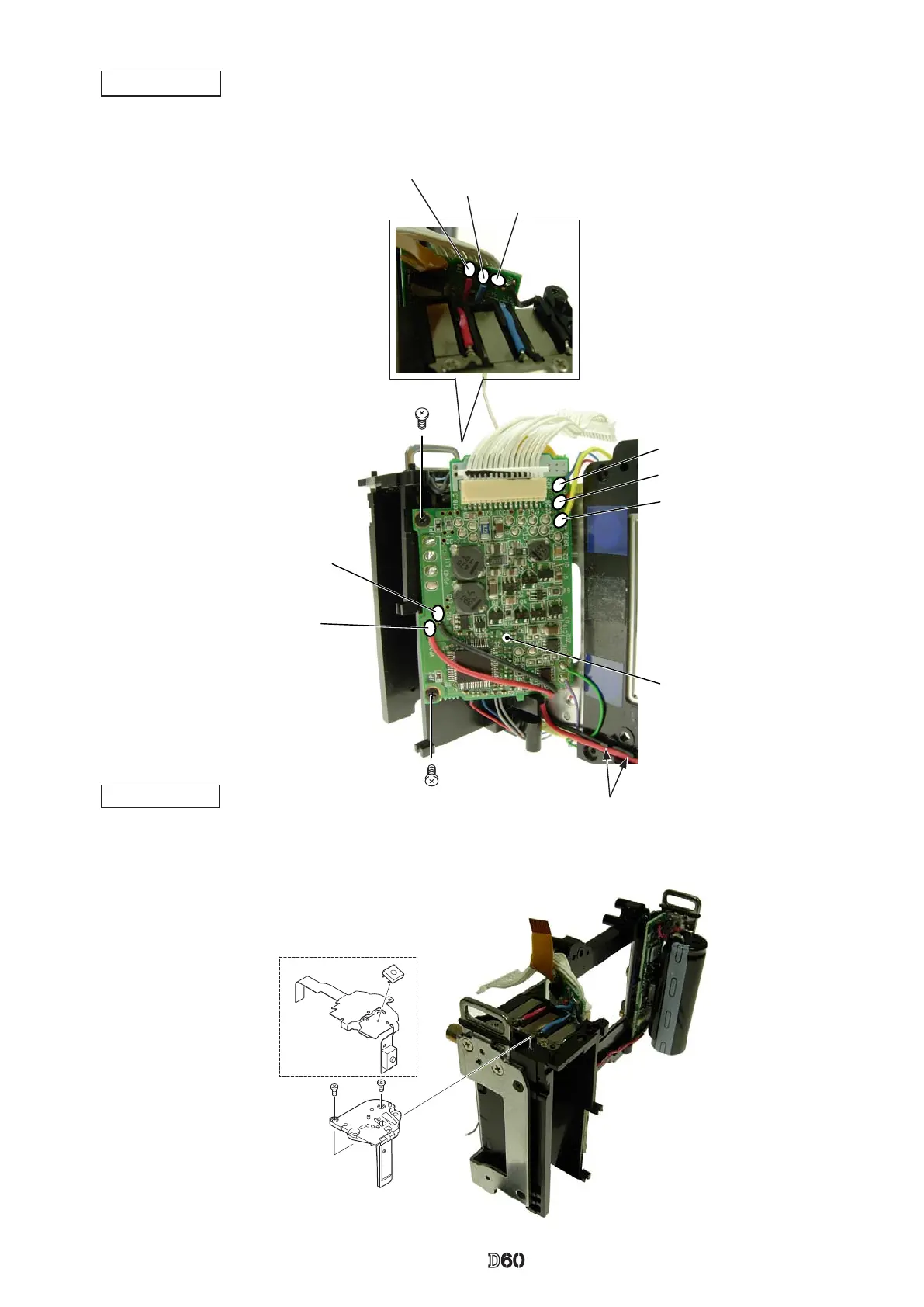
Mount the DC/DC-PCB, and x it with two screws (#670).
・
Put the wires in the groove for arrangement, and solder eight wires (connected from SB-PCB, LOFT PCB,
Battery contacts and Battery box).
DC/DC PCB
Red: Battery contact (+)
Blue: Battery box
(ID)
Black:Battery contact (-)
DC/DC-PCB
・
Mount the remote block (#158), and x it with two screws (#683).
・
Attach SW-FPC [#B2006].
Remote block
Blue:LOFT PCB
Yellow:LOFT PCB
Red:LOFT PCB
#670×2
Black:SB-PCB
Red:SB-PCB
Groove



 To Next Page