C–20
C
Flash Modes
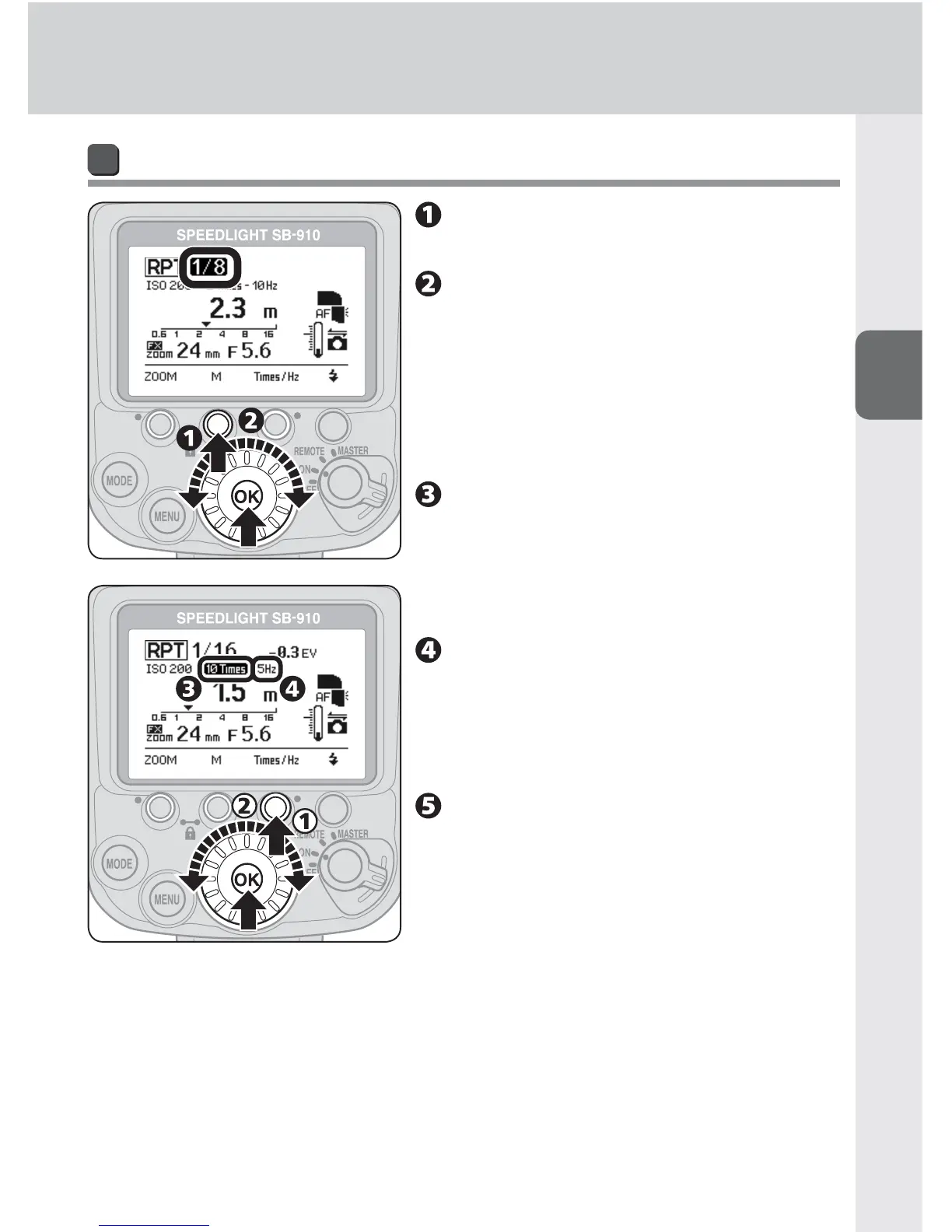
Taking a picture in repeating flash mode
Press function button 2 to
highlight the fl ash output level.
Rotate the selector dial to
choose the fl ash output level,
and then press the [OK] button.
Flash output level can be changed with •
function button 2.
Flash output level can be set between •
M1/8 and M1/128.
Press function button 3 to
highlight the number of fl ash
fi rings, rotate the selector dial
to choose the number, and then
press the [OK] button.
Press function button 3 to
highlight the frequency of fl ash
fi rings, rotate the selector dial
to choose the frequency, and
then press the [OK] button.
Determine the guide number
according to the fl ash output
level and the zoom head
position.
For more information, see •
“Specifications.” (0H-18)



 To Next Page