C–12
C
Flash Modes
Distance-priority Manual Flash Mode
In this fl ash mode, when the fl ash-to-subject distance value is entered, the SB-910
automatically controls fl ash output level according to the camera settings.
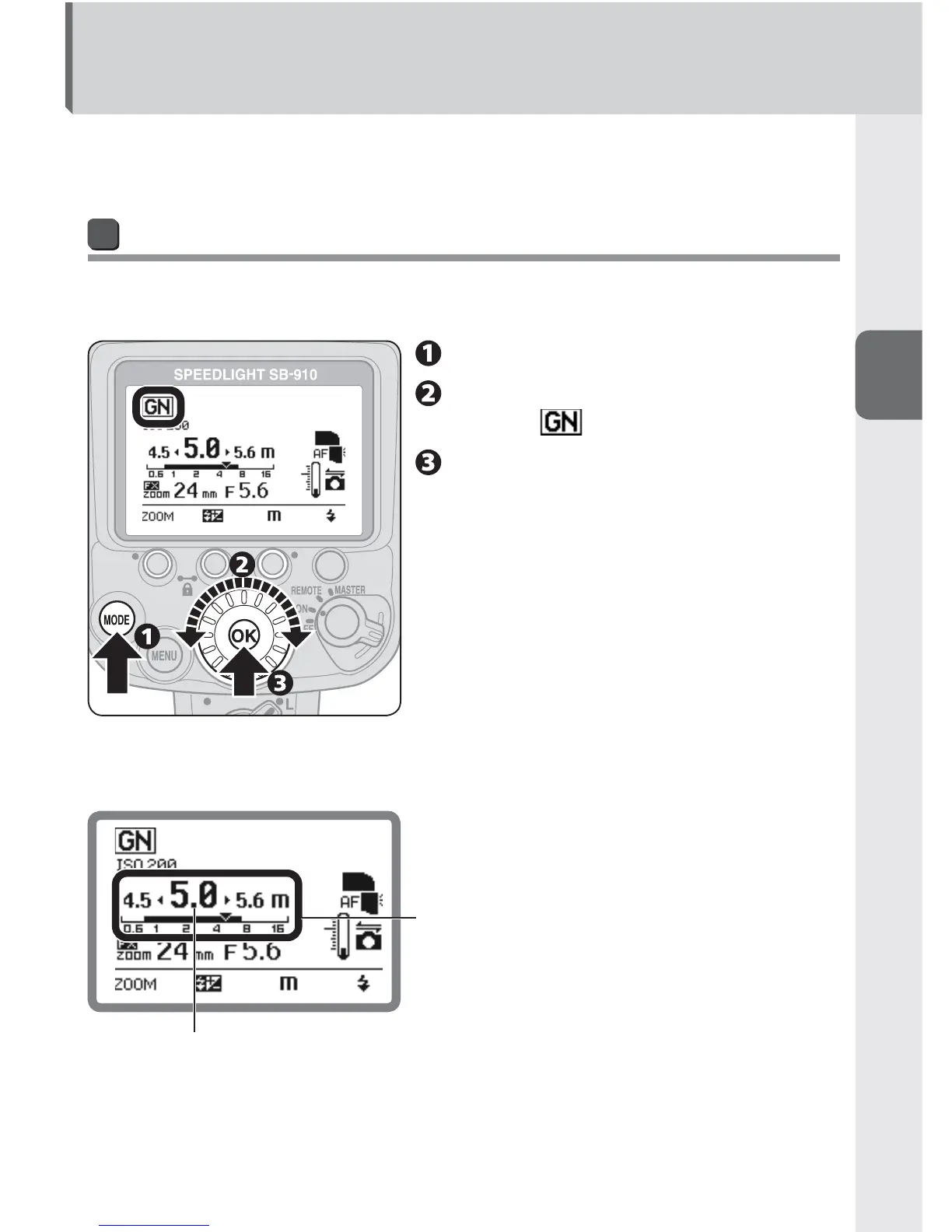
Setting distance-priority manual flash mode
Distance-priority manual fl ash is not possible when the SB-910’s fl ash head is tilted
up or rotated to the right or left.
Press the [MODE] button.
Rotate the selector dial to
display .
Press the [OK] button.
Distance-priority manual flash mode LCD example (at flash-to-
subject distance of 5 m)
Flash-to-subject distance
(numerical indicator)
Flash-to-subject distance (
T
) and effective fl ash
output distance range indicator (bar)
When the fl ash-to-subject distance appears on the
effective fl ash output distance range indicator, the
SB-910 fi res with appropriate fl ash output.



 To Next Page