E–13
E
Functions
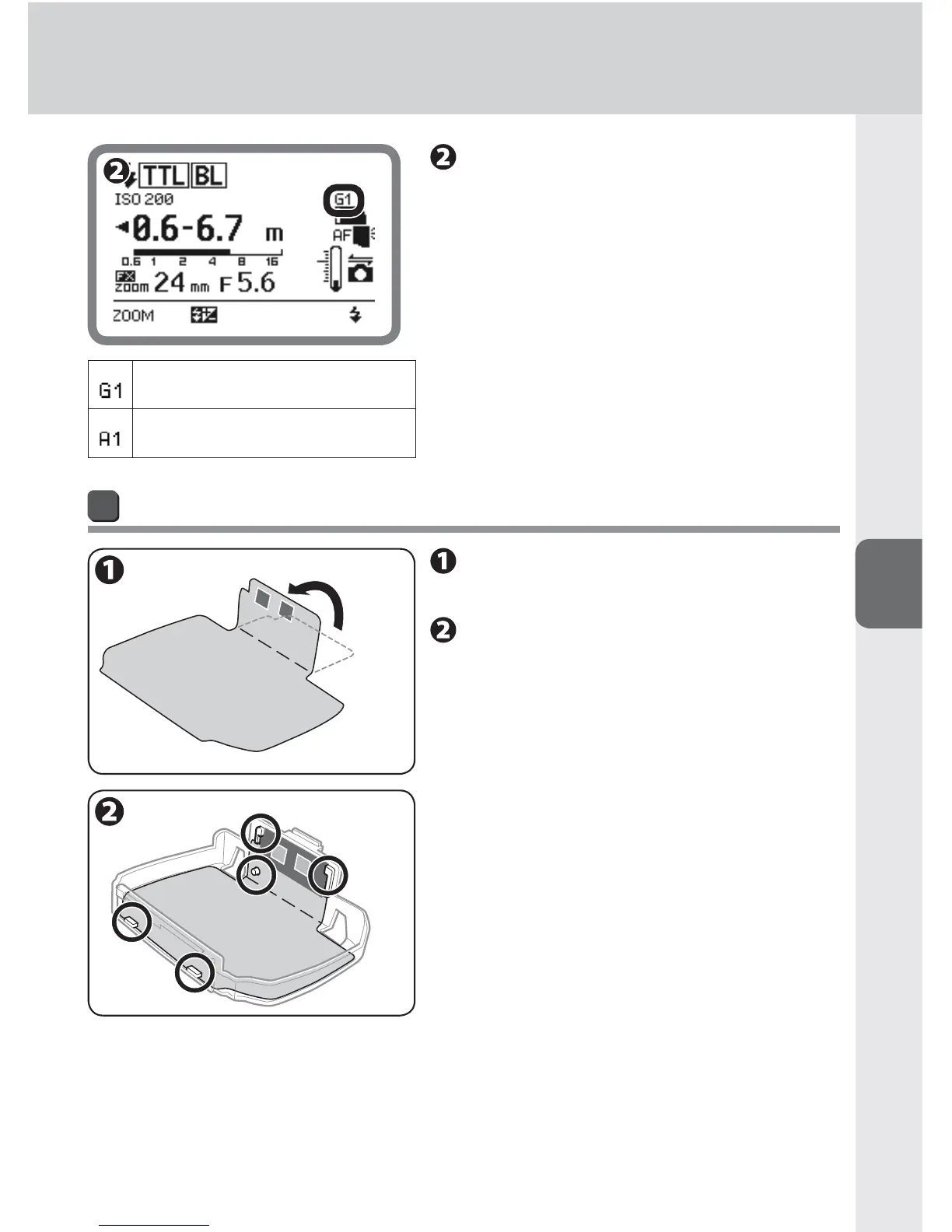
Check the LCD.
Filter type is displayed. •
The information is transmitted from the •
SB-910 to the camera.
Fluorescent fi lter
Incandescent fi lter
How to attach SJ-3 color filters (optional)
Fold along the line marked on
the fi lter.
Attach the fi lter to Color Filter
Holder SZ-2 (optional) as
shown in the diagram.
Insert the filter edges into the slits on •
the holder, and then align the filter
positioning hole with the holder pin.
Align the filter identification code (silver •
marks) with the black bar on the holder.
Attach the filter to the filter holder •
without creasing the filter or leaving
any gaps.



 To Next Page