Introduction
5 Screen Configuration
- 12 -
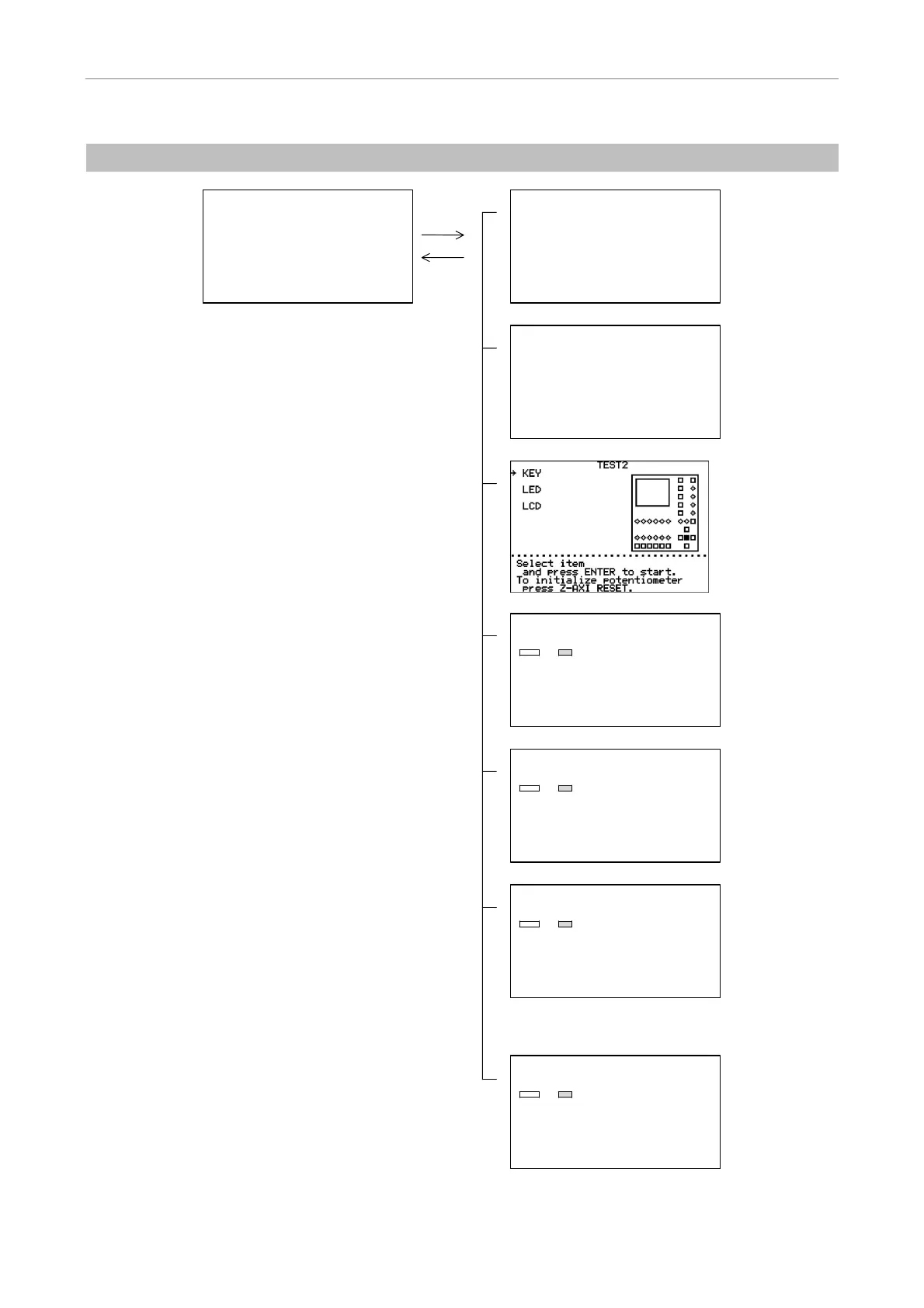
(4) Configuration of MAINTENANCE MENU Screens
PAD DATA
Initialize PAD data ?
Yes
No
・・・・・・・・・・・・・・・・・・・・・・・・・・・・・・・・
Select Yes
and press ENTER to start.
HUB DATA
Initialize HUB data ?
Yes
No
・・・・・・・・・・・・・・・・・・・・・・・・・・・・・・・・
Select Yes
and press ENTER to start.
TEST1 1/5
→ ALL TEST
OBJECTIVE
1 [ ]
2 [ ]
3 [ ]
4 [ ]
5 [ ]
6 [ ]
・・・・・・・・・・・・・・・・・・・・・・・・・・・・・・・・
Select item
and press enter to start.
VERSION
T-RCP REMOTE CONTROL PAD
V1.00 Sum
=1234
T-HUBC HUB CONTROLLER
MAIN-cpu: V1.00 Sum
=5678
SUB-cpu : V1.00 Sum
=ABCD
CONTROL DATA
Initialize all control data ?
Yes
No
・・・・・・・・・・・・・・・・・・・・・・・・・・・・・・・・
Select Yes
and press ENTER to start.
MAINTENANCE MENU
1.Version
2.TEST1
3.TEST2
4.PAD Data
5.HUB Data
6.Control Data
a.All Control Data
b.Revoiving Nosepiece
c.Condenser Cassette
d.Light Path
e.Filter Block
f.Exciter Filter
g.Barrier Filter
h.AUX filter
Control Data
Initialize Control data
for AUX filter ?
Yes
No
・・・・・・・・・・・・・・・・・・・・・・・・・・・・・・・・
Select Yes
and press ENTER to start.
・
・
・
・
・
・
key
MODE key


 To Next Page