III Additional Functions
4 Performing Parfocal Corrections
- 38 -
(4) Clearing Preset Focus Position
Preset focus positions can be cleared.
1
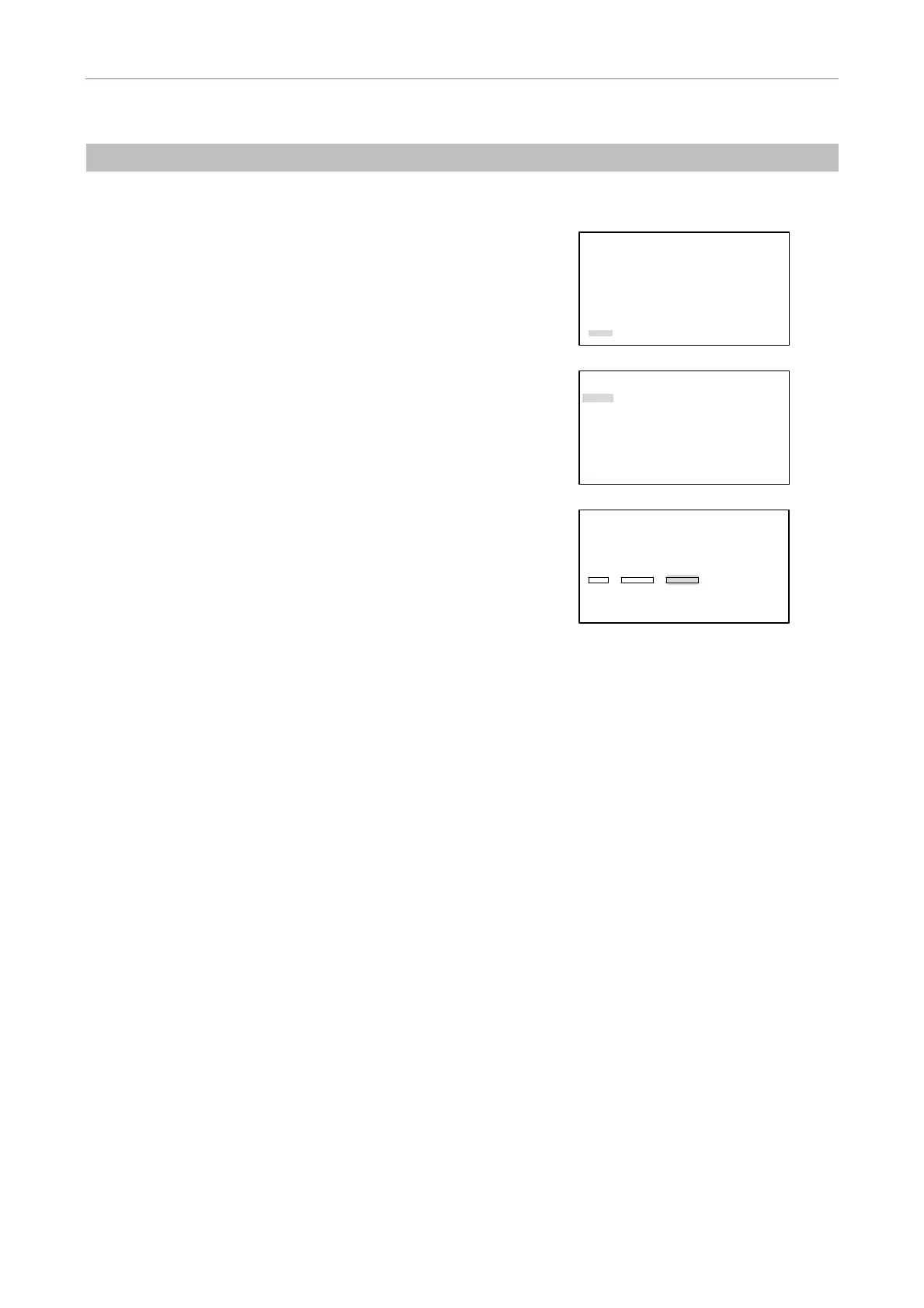
Press the MODE key, and the SETTING MENU screen will
appear on the LCD.
Select “More” using the
S key or the T key and then
press the [
] key.
SETTING MENU
Objective
Condenser
Filter
Exciter
Barrier
Combination(Obj.>Condenser)
Combination(Filter>EX/BA)
More
2
Select "Focus" using the S key or the T key and then
press the [
] key.
MORE
Rotation Stopper
Focus
Other Unit
Remote Control Pad
Shutter Key
Foot Switch
Communication Delimiter
3
Select "CLEAR" for "FOCUS POSITION" using the S, T,
W, or X key and then press the [
] key.
FOCUS KNOB MODE
[Coarse]
FOCUS MODE
[OFF]
FOCUS POSITION
SET SHIFT CLEAR
OBJECTIVE
Series Mag.
[P Fluor ][DL 10x]
4
Press the MODE key to end the setting and to return to the
OPERATION screen.


 To Next Page