Introduction
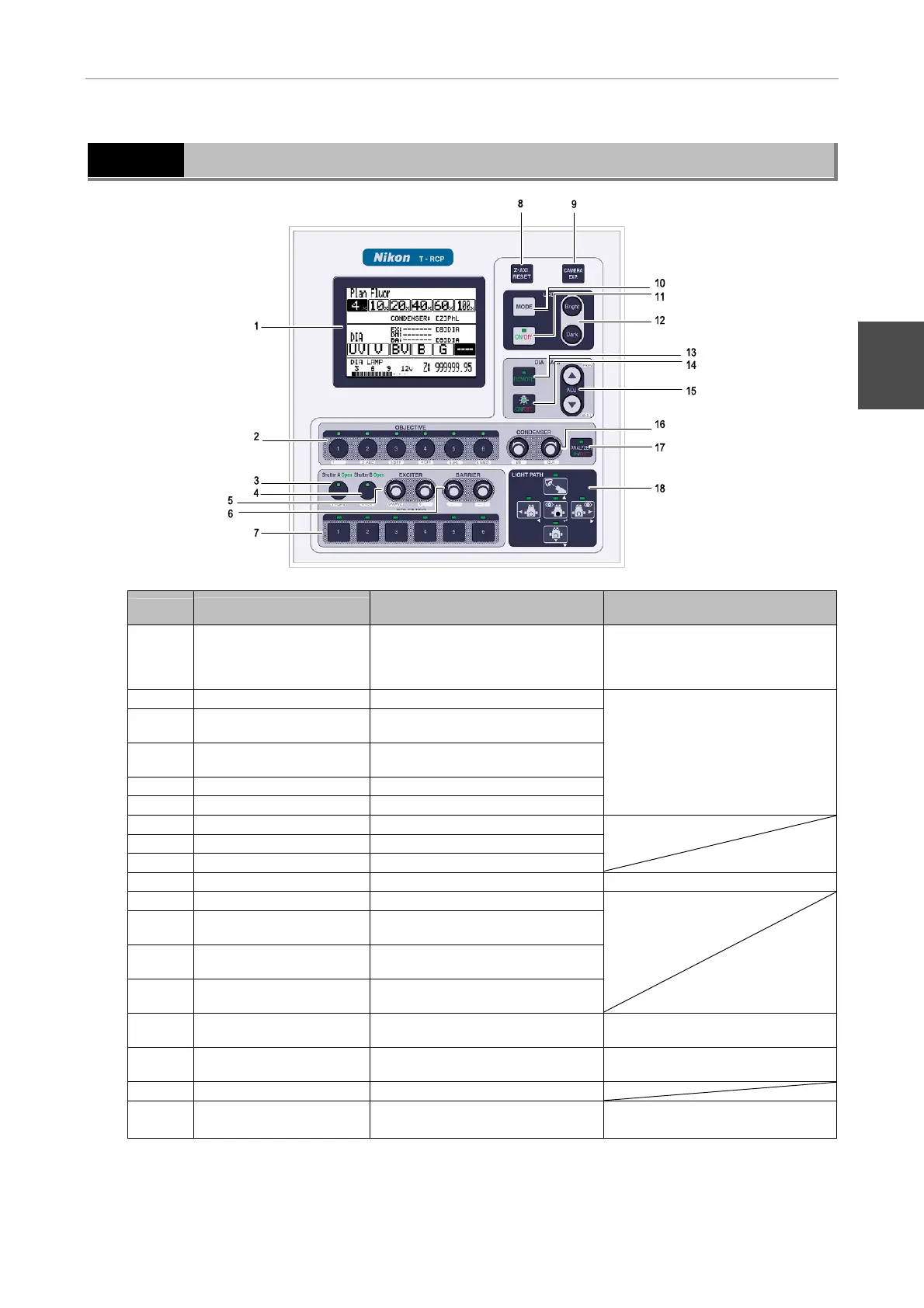
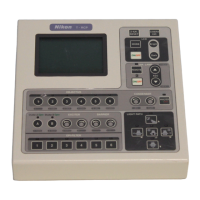
2 Appearance of Remote Control Pad
- 5 -
2
Appearance of Remote Control Pad
No.
Parts
Function when
OPERATION screen is indicated
Functions when setting
menu/maintenance menu is indicated
1 Liquid crystal display (LCD)
OPERATION screen: Indicates
electrical component positions and
information on the attached optical
members
Setting menu: Allows setting of
various functions/parameters of the
electrical components.
2 OBJECTIVE key Selects an objective lens
3 SHUTTER A key
Opens/closes the shutter allocated to
Shutter A key
4 SHUTTER B key
Opens/closes the shutter allocated to
Shutter B key
5 EXCITER key Selects an excitation filter
6 BARRIER key Selects a barrier filter
Enters alphanumeric characters.
7 EPI-FILTER key Selects a filter block
8 Z-AXI. RESET key Resets the z-axis position to zero
9 CAMERA EXP. key Outputs an external trigger
10 LCD MODE key Changes to another screen Changes to another screen.
11 LCD ON/OFF key Turns ON/OFF the LCD backlight
12 LCD Bright/Dark key
Adjusts the brightness of the LCD
backlight
13 DIA LAMP REMOTE key
Turns ON/OFF the remote control
operation of the dia-illumination lamp
14 DIA LAMP ON/OFF key
Turns ON/OFF the dia-illumination
lamp
15 DIA LAMP ADJ. key
Adjusts the voltage of the
dia-illumination lamp
PREV/NEXT keys (Change selection.)
16 CONDENSER key Selects a condenser module
BS key (Deletes entered letters), CLR
key (All clear)
17 ANALYZER IN/OUT key Inserts/removes the analyzer
18 LIGHT PATH key Selects an optical path
Cursor key (Selects an item.)
Return key (Confirms selection.)


 To Next Page