OCM Pro CF
page 110 OCM Pro CF - Rev. 09 as of 07.06.2016
-
temperature air (output of air temperature measured by air-ultrasonic sensor
type OCL as analog signal. Output only if sensor type OCL has been con-
nected!)
- analog input 1 (output of value from analog input 1 as analog signal, value
might be distorted due to characteristic)
- analog input 2 (output of value from analog input 2 as analog signal, value
might be distorted due to characteristic)
- analog input 3 (output of value from analog input 3 as analog signal, value
might be distorted due to characteristic)
- analog input 4 (output of value from analog input 4 as analog signal, value
might be distorted due to characteristic)
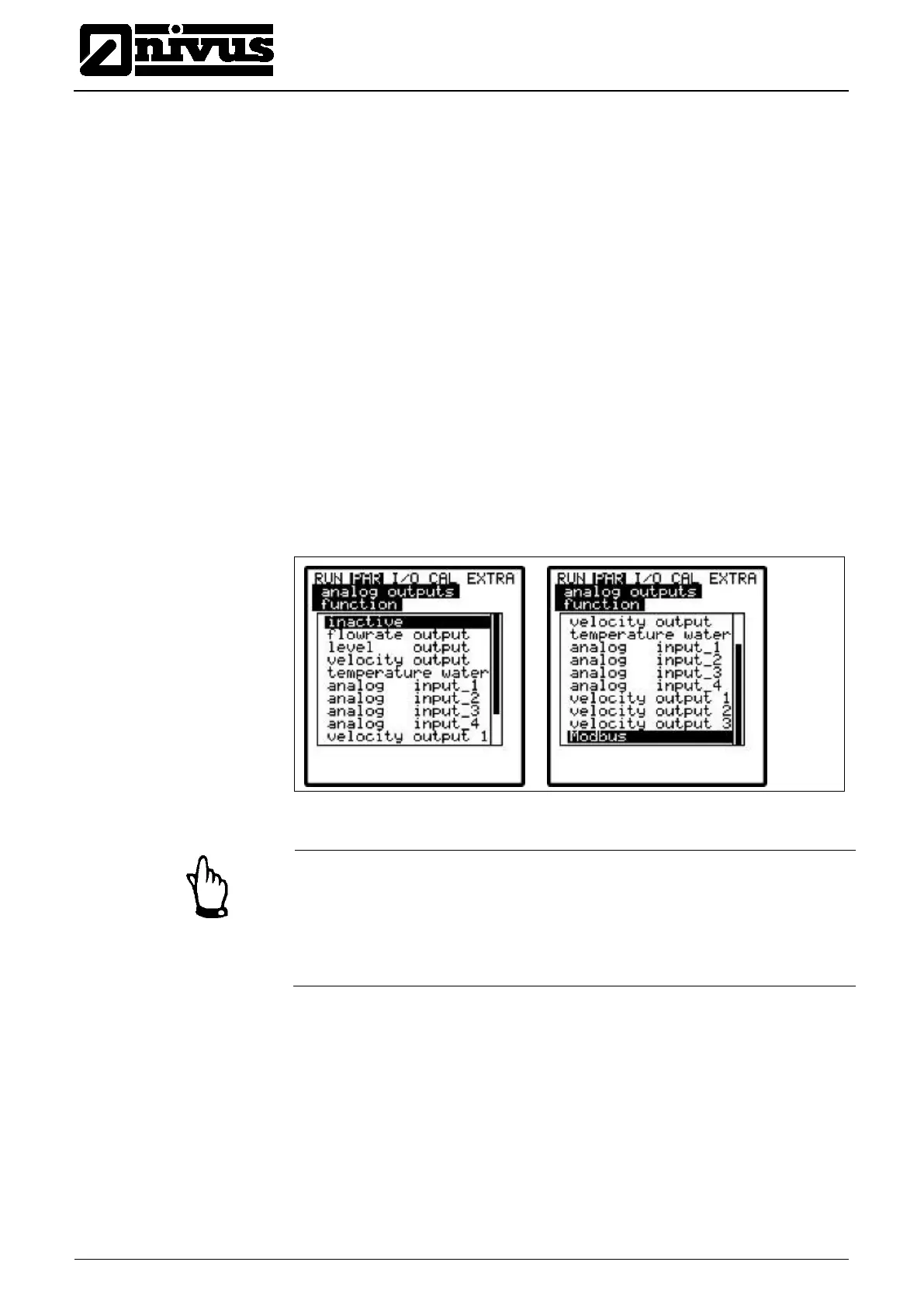
- Modbus (allows remote access to analog outputs)
The functions described below are additionally available if in the >velocity<
menu 2 or 3 sensors have been selected:
-
velocity output 1 (output of average velocity of sensor 1 as analog signal)
- velocity output 2 (output of average velocity of sensor 2 as analog signal)
- velocity output 3 (output of average velocity of sensor 3 as analog signal)
Fig. 9-70 Selection of analog output functions
Note
Due to its hardware configuration only type >M4< and >R4< allows to route the
analog input to the analog output.
Type >S4< can be programmed accordingly but wiring however cannot be im-
plemented!!
If desired toggle between measurement ranges of 0-20 mA or 4-20 mA here.
Define the span of the enabled analog output here. Negative values can be
entered as well!



 To Next Page