OCM Pro CF
page 124 OCM Pro CF - Rev. 09 as of 07.06.2016
9.5.10 Parameter Menu "Storage Mode “
Fig. 9-100 Storage mode - submenu
The OCM Pro CF allows to save detected flow velocities, levels, temperatures
and flow rates as well as input and output signal values on Compact Flash Card.
It is possible to use NIVUS Compact Flash cards with capacities from 8 to 128
MB. These cards can be purchased from your local NIVUS representative.
Important Note
Use memory cards purchased from NIVUS only. Other manufacturer’s cards
or cards with greater capacities than 128 MB may lead to partial or complete
loss of data or measurement failure (permanent transmitter reset).
NIVUS do not accept any liability due to data loss or measurement failure
resulting from the use of third-party memory cards.
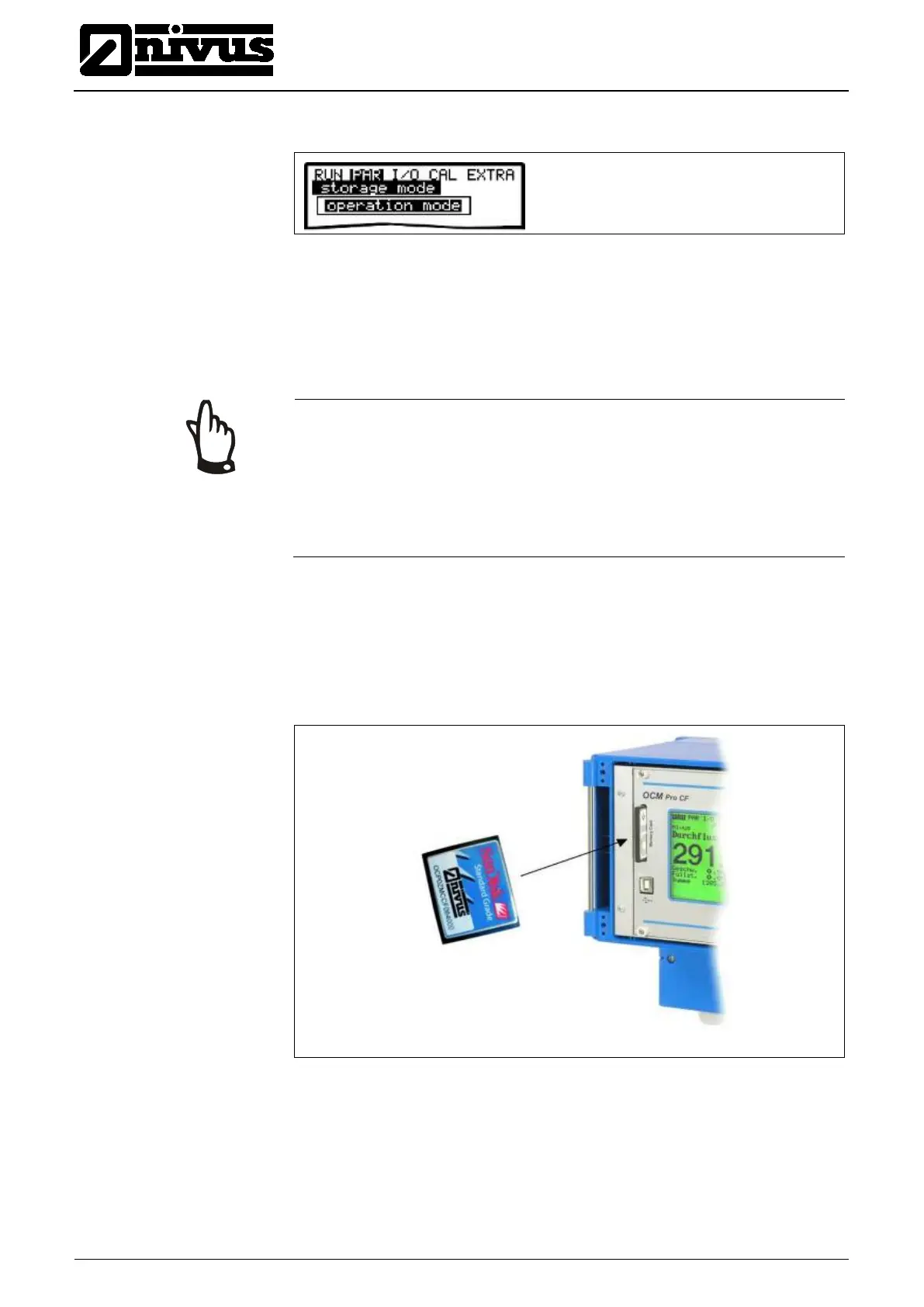
Please plug the card into the labelled slot (>MemoryCard<) on the unit faceplate
in a way that the side identified by the numerous small holes is plugged in. Make
sure that the card is fitting tightly.
The card can be inserted in one way only, incorrect plugging is going to be
avoided due to mechanical construction. Please do not apply any force but ro-
tate the card into the correct position instead.
Fig. 9-101 Memory card slot
After a new memory card has been plugged and the storage has been enabled
in the programming menu, the OCM Pro will prompt a >Format card< request.



 To Next Page