OCM Pro CF
OCM Pro CF - Rev. 09 as of 07.06.2016 page 67
8.3 Display
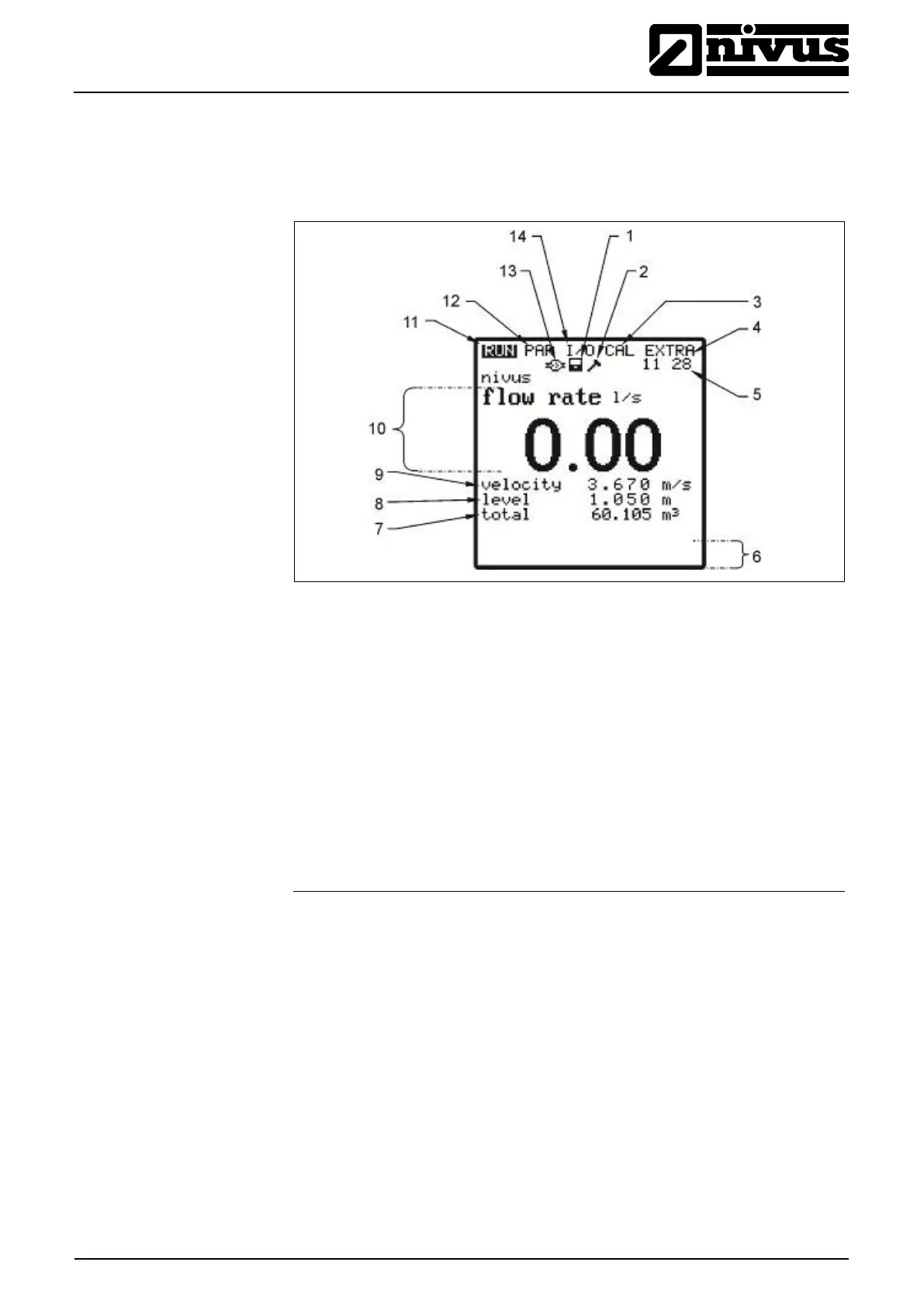
OCM Pro CF has a large back-lit graphic display with a resolution of 128 x 128
pixel. This ensures to comfortably read current values.
1 Indicates activated data storage
2 Indicates activated service mode
5 Current system time (automatically alternates with medium temperature)
6 Fields indicating digital output conditions
13 Symbol indicating active communication
14 Status menu of inputs, outputs and sensors
Fig. 8-2 Display



 To Next Page