OCM Pro CF
OCM Pro CF - Rev. 09 as of 07.06.2016 page 77
9.3 Display Menu (EXTRA)
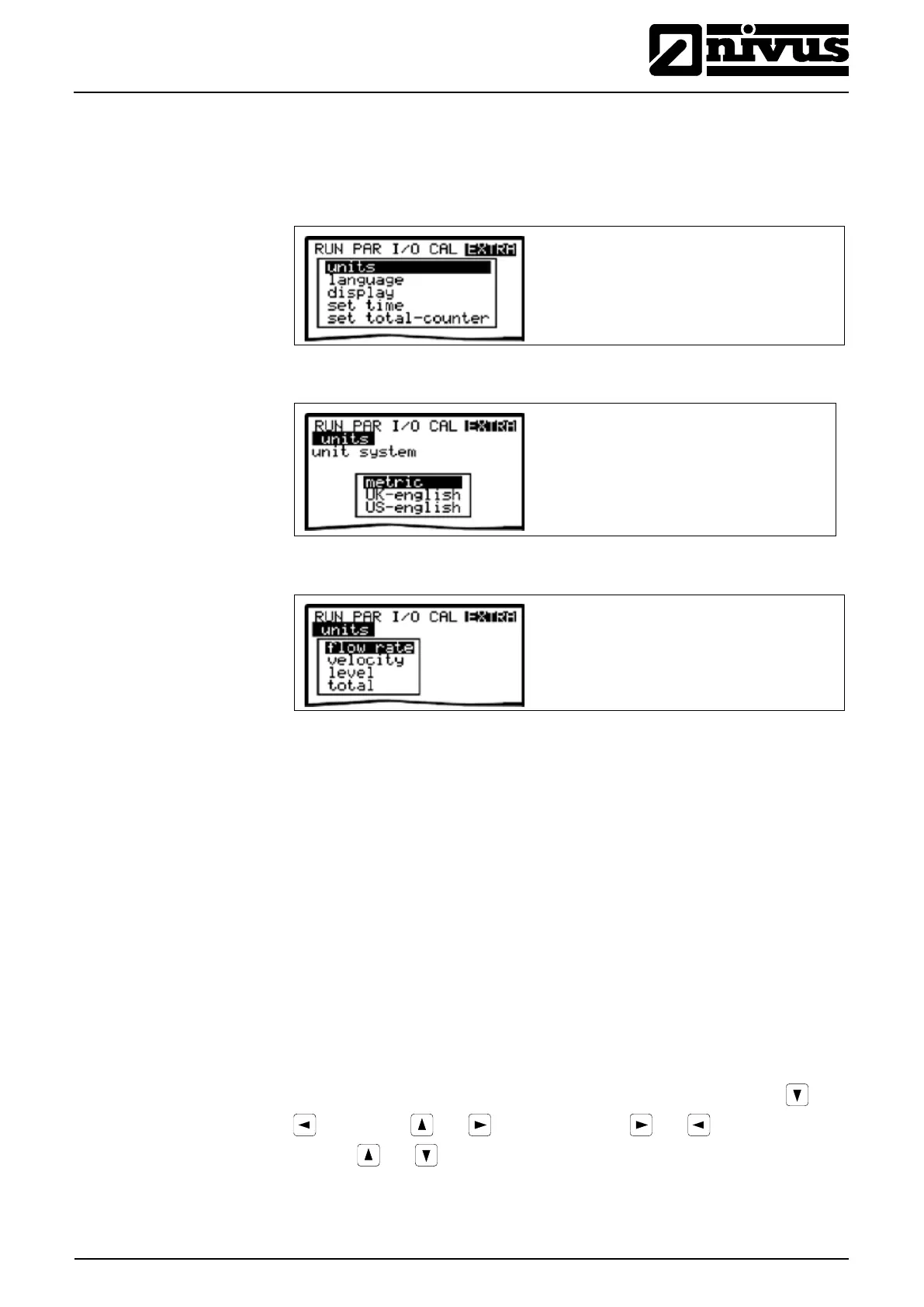
This menu allows to modify settings such as basic screen, units, language as
well as the display itself. The following submenus are available:
Fig. 9-13 Extra submenus
Fig. 9-14 Unit system selection
Fig. 9-15 Selection of individual units
This menu contains the following sub menus:
- Flow
- Velocity
- Level
- Total
For each of these 4 measured values you can select a unit which appears on
the display. Depending on the unit system selected, there are various units
available.
Here you can select between the metric system (litre, cubic meters, cm/s etc.),
English system (ft, in, gal/s, etc.) and American system (fps, mgd etc.).
German, English, French, Czech, Italian, Spanish, Polish and Danish are
available for communication and indication of messages on the Display.
allows to adjust display settings regarding contrast and brightness. Use and
to decrease; and to increase values. and modify values in 5
% steps, and in steps of 1 %.



 To Next Page