OCM Pro CF
page 34 OCM Pro CF - Rev. 09 as of 07.06.2016
7.2.2 Sensor connection - Wall mount enclosure
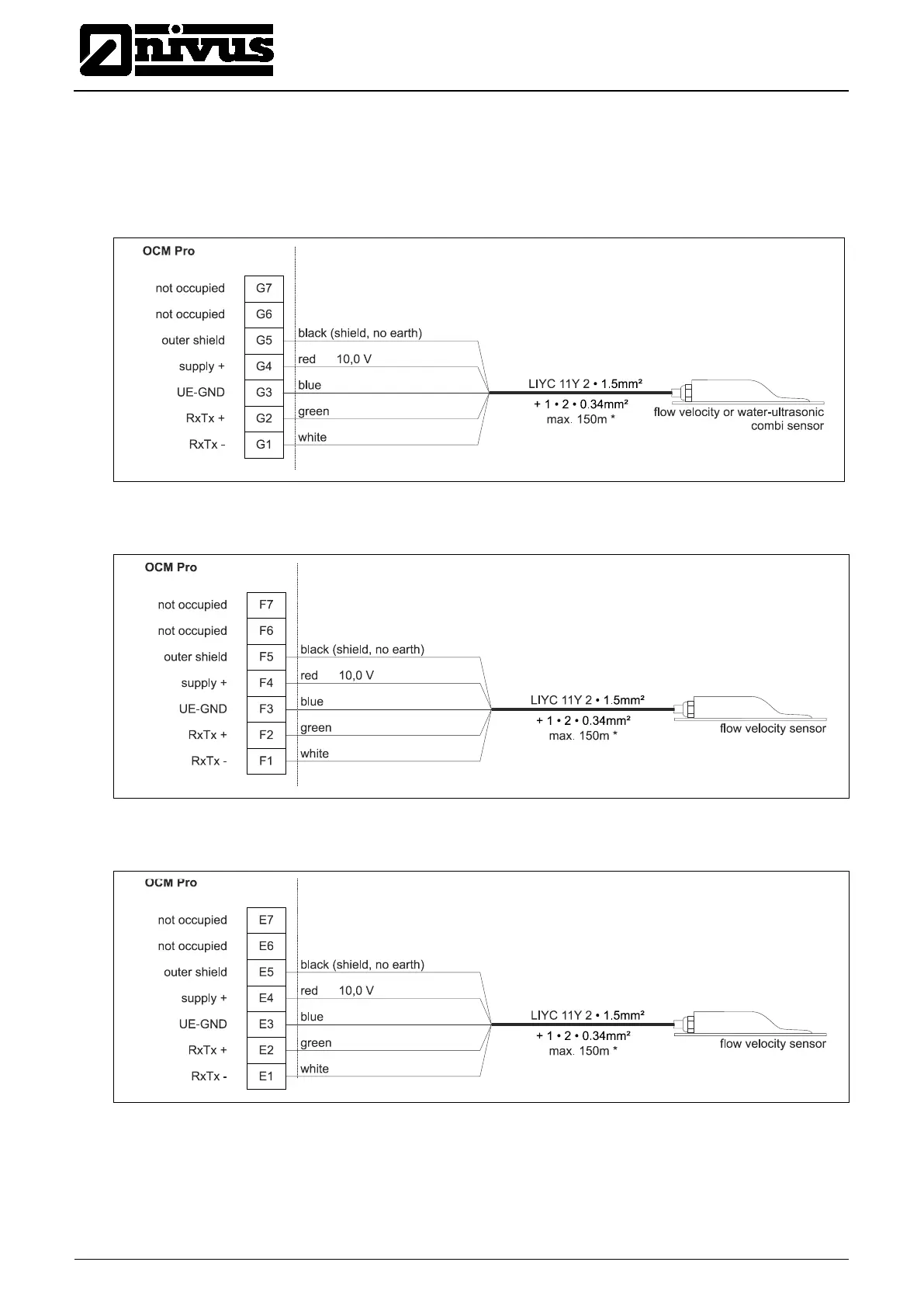
The sensor cable has to be connected to the transmitter at the terminal block.
The diagram below applies in case of connecting a flow velocity or water-
ultrasonic combi sensor:
Fig. 7-3 Connecting a flow velocity or water-ultrasonic combi sensor
on the OCM Pro type S4W0 / M4W0
Fig. 7-4 Connecting a second velocity sensor to the OCM Pro type
M4W0
Fig. 7-5 Connecting a third velocity sensor to the OCM Pro type M4W0



 To Next Page