3 Configuring monitor display settings
7
3 Configuring monitor display settings
This operation is not necessary if the Controller is installed on the PC.
For Windows XP
1. Start the PC.
Turn on the power of the display monitor.
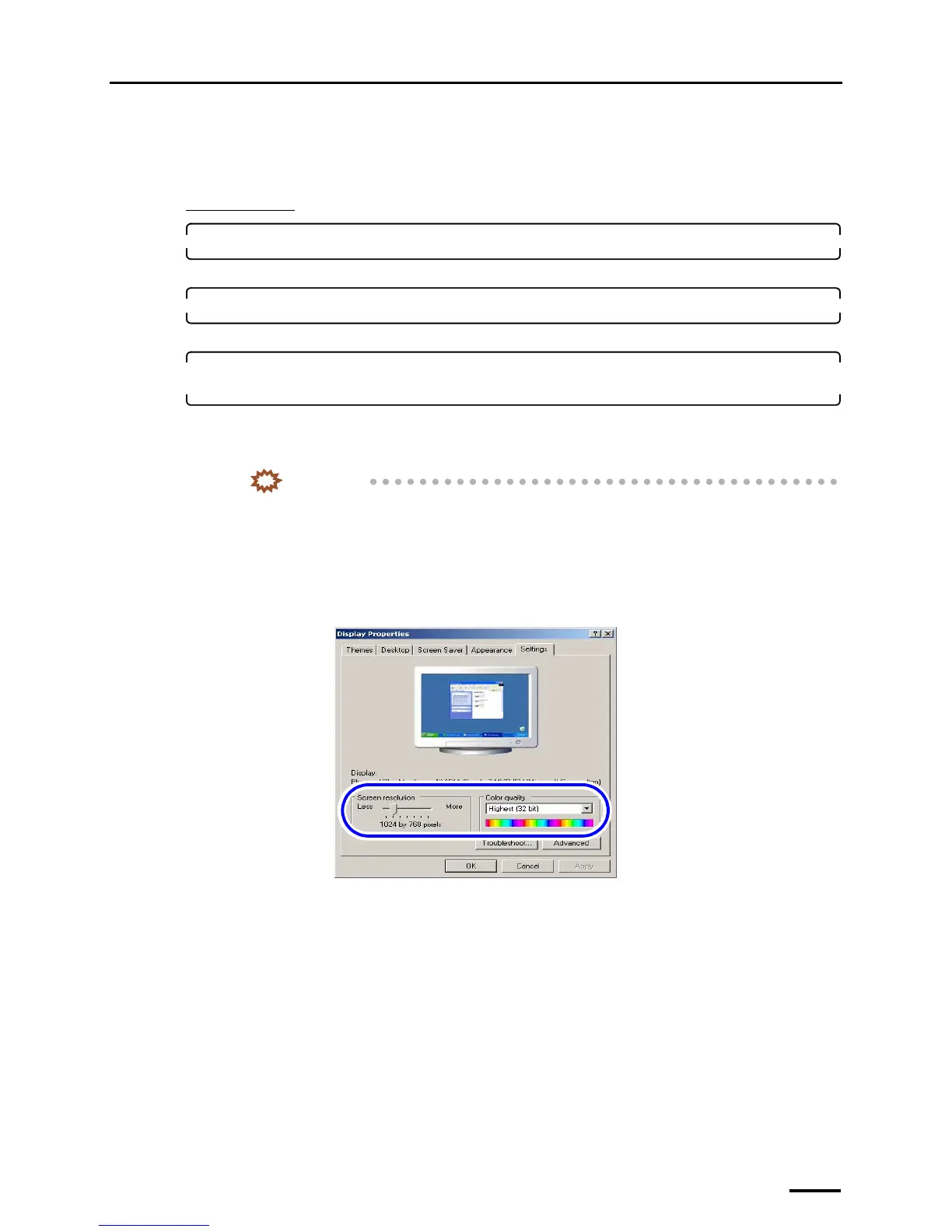
2. Right-click on the desktop, and select Properties.
The Display Properties display is shown.
3. Select the Settings tab to configure the resolution setting and color setting of the monitor
display.
Configure the resolution and color settings of the display monitor as shown below.
• Screen resolution
Match the resolution to the recommended resolution of the monitor.
IMPORTANT
• Confirm the recommended resolution in the Operator's Manual of the monitor.
Example:
• If the recommended number of pixels is 1024×768: 1024×768 pixels
• If the recommended number of pixels is 1280×1024: 1280×1024 pixels
• Color quality
Highest (32 bit)
S088116



 To Next Page