5 Installing the TWAIN driver
27
5 Installing the TWAIN driver
If there is an administrator on the network, ask him/her before installing.
This operation is not necessary if the Controller is installed on the PC.
The following software are installed by installing the TWAIN driver.
• Windows Installer 3.1
*1
• Microsoft Visual C++ 2005 Redistributable
• Microsoft .NET Framework Version 3.0
*1
• PostgreSQL8.1
• MSXML 4.0 SP2 Parser and SDK
• MSXML 6.0 Parser
*1
• Sentinel Protection Installer 7.3.0
• EZ Controller
• EZ Controller ImgDataProc Additional Software
• System Capture
*1. Not installed for Windows Vista.
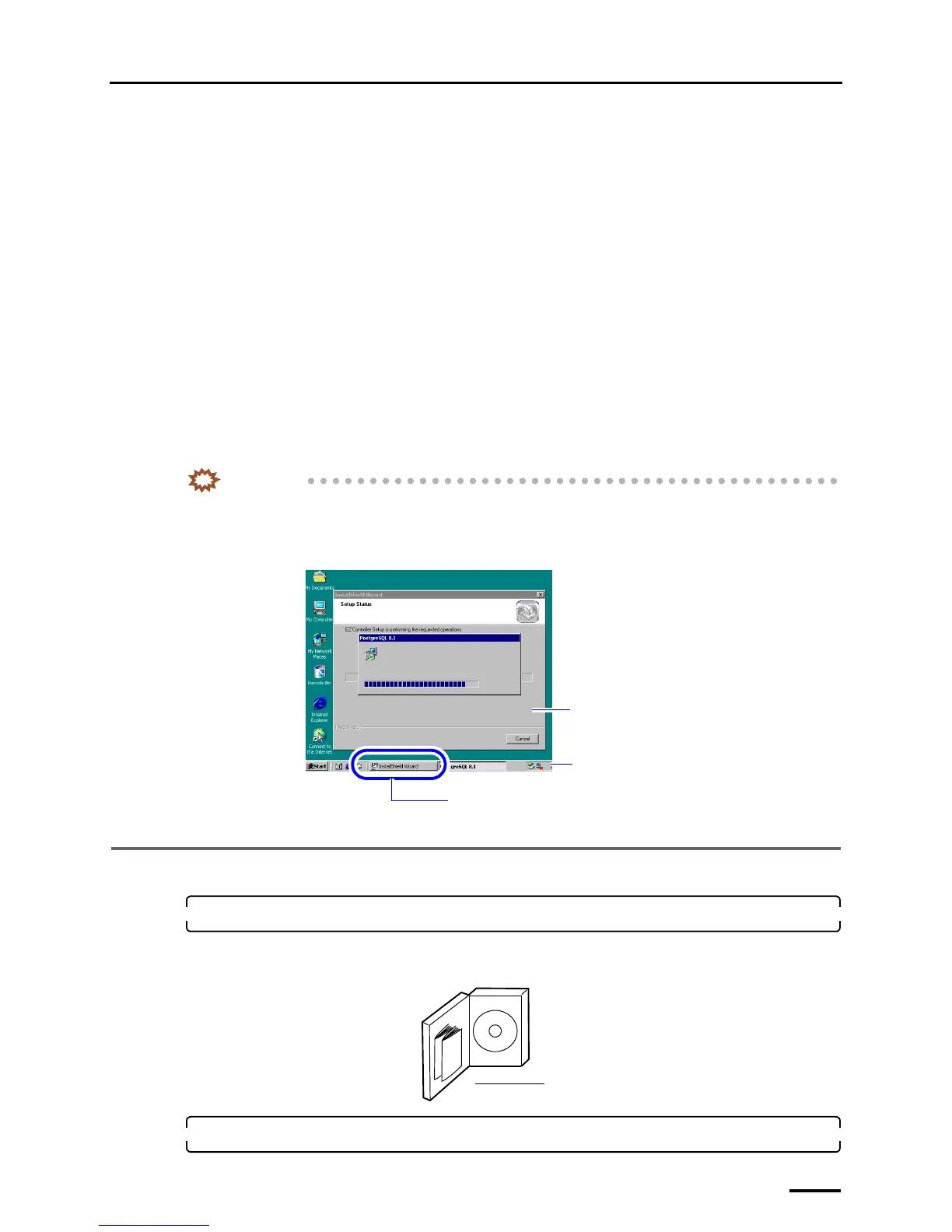
IMPORTANT
• A screen newly displayed may not come to the front while the software is installed (when the screen is
switched). In this case, click the blinking button of the screen on the taskbar. Then, the screen comes to the
front. Continuously install the software with the following procedure.
Example:
5.1 Installation procedure
1. Prepare the following CD.
• TWAIN driver CD
TWAIN driver is shown on the label.
2. Insert the TWAIN driver CD-ROM.
Screen newly displayed (at the back)
Button of the screen newly displayed (Blinking)
Taskbar
S088428
TWAIN driver CD
G085386



 To Next Page