4 Setting up the PC
12
4 Setting up the PC
This operation is not necessary if the Controller is installed on the PC.
4.1 Configuring power options
For Windows XP
1. Access the Control Panel display.
Bringing up the display
Start → Control Panel
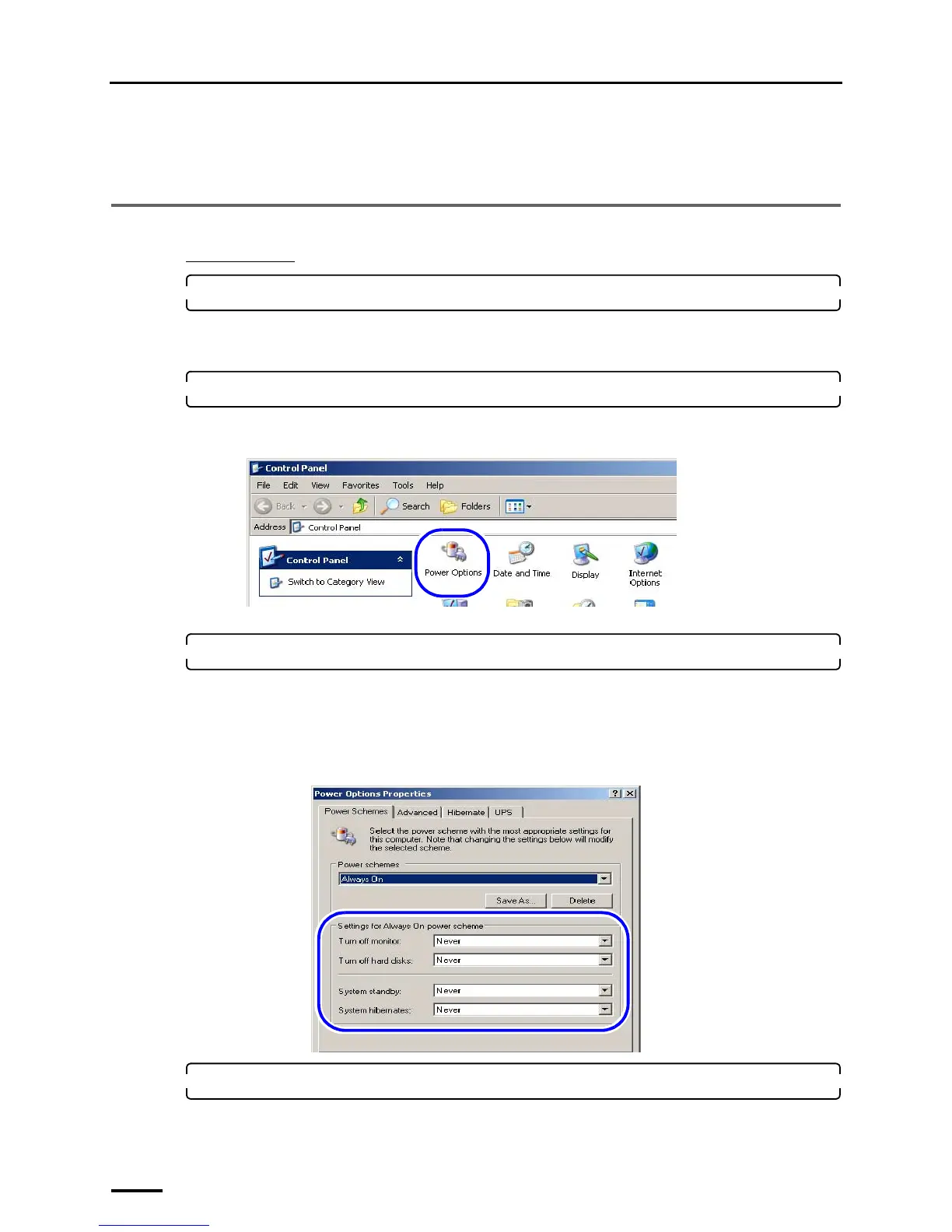
2. Double-click the Power Options icon.
The icon slightly varies depending on the OS.
Example:
The Power Options Properties display is shown.
3. Select Never for all the items below in the Power Schemes tab, and click OK.
• Turn off monitor
• Turn off hard disks
• System standby
• System hibernates
Example:
4. Click the Close button at the upper right of the Control Panel display to close it.
S079073
S088647



 To Next Page