1 Before installation
1
1 Before installation
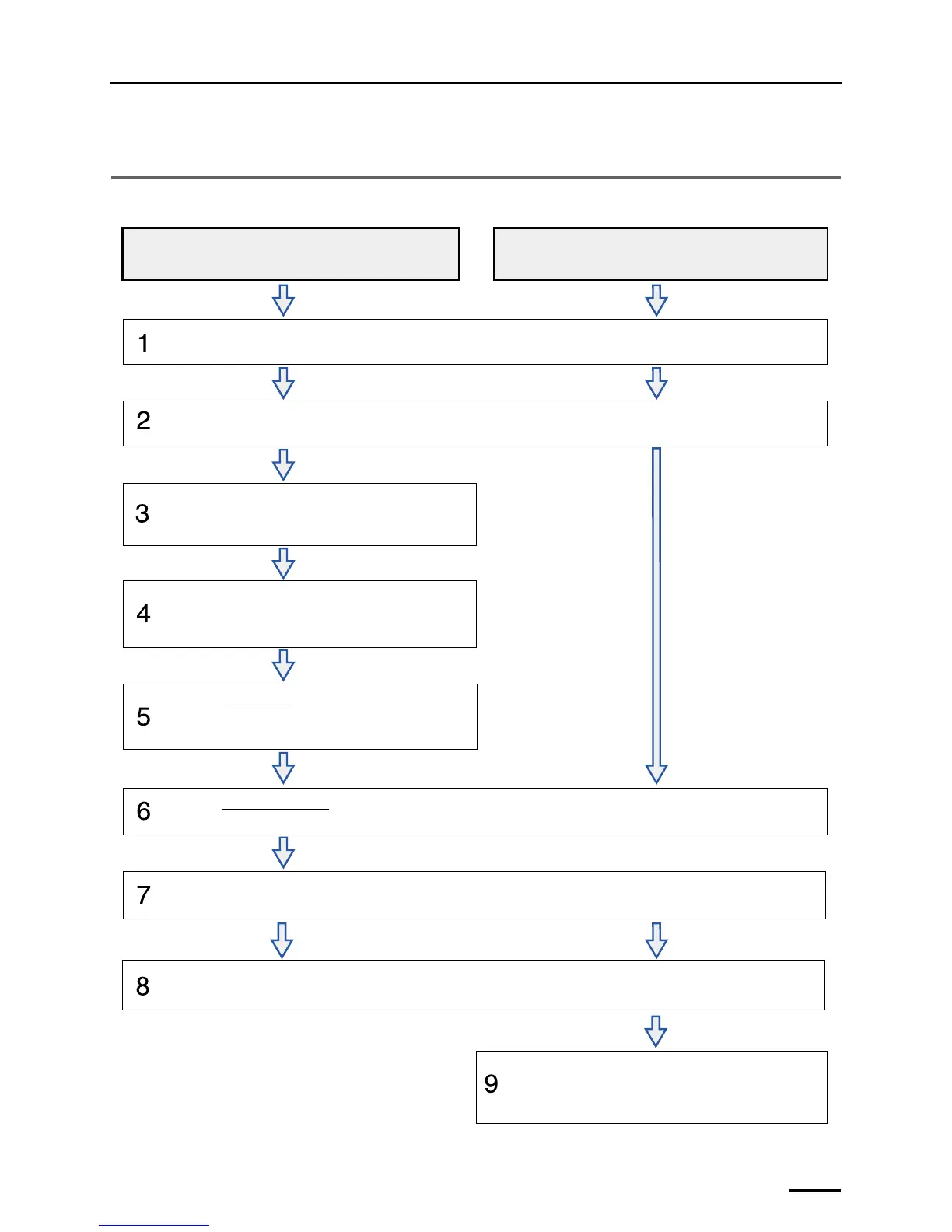
1.1 Workflow (Windows XP)
When connecting the scanner to the PC on which the controller is not
installed (our printer is not connected)
When connecting the scanner to the PC on which the controller is
installed (our printer is connected)
Confirming the component parts
See
☞2 Confirming the component parts to check that all the necessary items are prepared.
Configuring monitor display settings
• For details, see
☞3 Configuring monitor display settings.
Setting up the PC
• For details, see
☞4 Setting up the PC.
Installing the TWAIN driver
• For details, see ☞5 Installing the TWAIN driver.
Installing the SYSTEM PROGRAM
• For details, see ☞6 Installing the SYSTEM PROGRAM.
Connecting the power supply and setting the USB driver
• For details, see
☞7 Connecting the power supply and setting the USB driver.
Creating print channels
• For details, see
☞9 Creating print channels.
Configuring various settings
• For details, see
☞8 Configuring various settings.
Removing packing angle brackets and antirust material
• For details, see
☞1.6 Removing packing angle brackets and antirust material.
G089244



 To Next Page