4 Setting up the PC
20
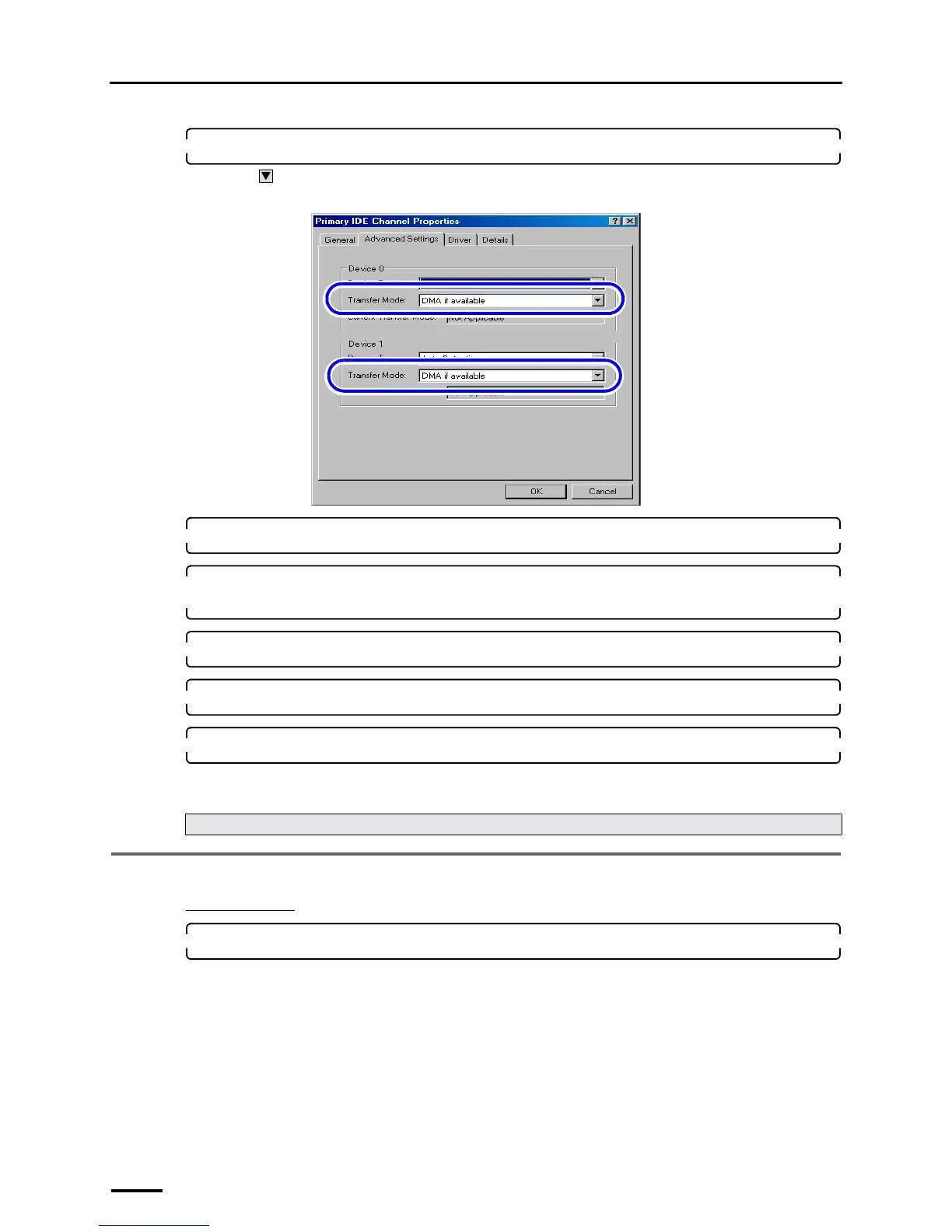
4. Select the Advanced Settings tab and configure Transfer Mode.
Click to select DMA if available for the Transfer Mode in Device 0 and Device 1.
Example: Primary IDE Channel Properties display
5. Click OK.
6. Configure the Transfer Mode setting for all Primary IDE Channel and Secondary IDE
Channel in the same procedure as Step 3 and Step 4.
7. Click × in the upper-right corner of the Device Manager display to close it.
8. Click OK to close the System Properties display.
9. Click the Close button at the upper right of the display to close it.
This completes configuring the transfer mode.
4.4 Turning off Autoplay of media drives
For Windows XP
1. Select Start → Run.
The Run display is shown.
Next, go to ☞4.4 Turning off Autoplay of media drives.
S088650



 To Next Page