7 Connecting the power supply and setting the USB driver
49
7 Connecting the power supply and setting the USB
driver
7.1 Connecting the power supply
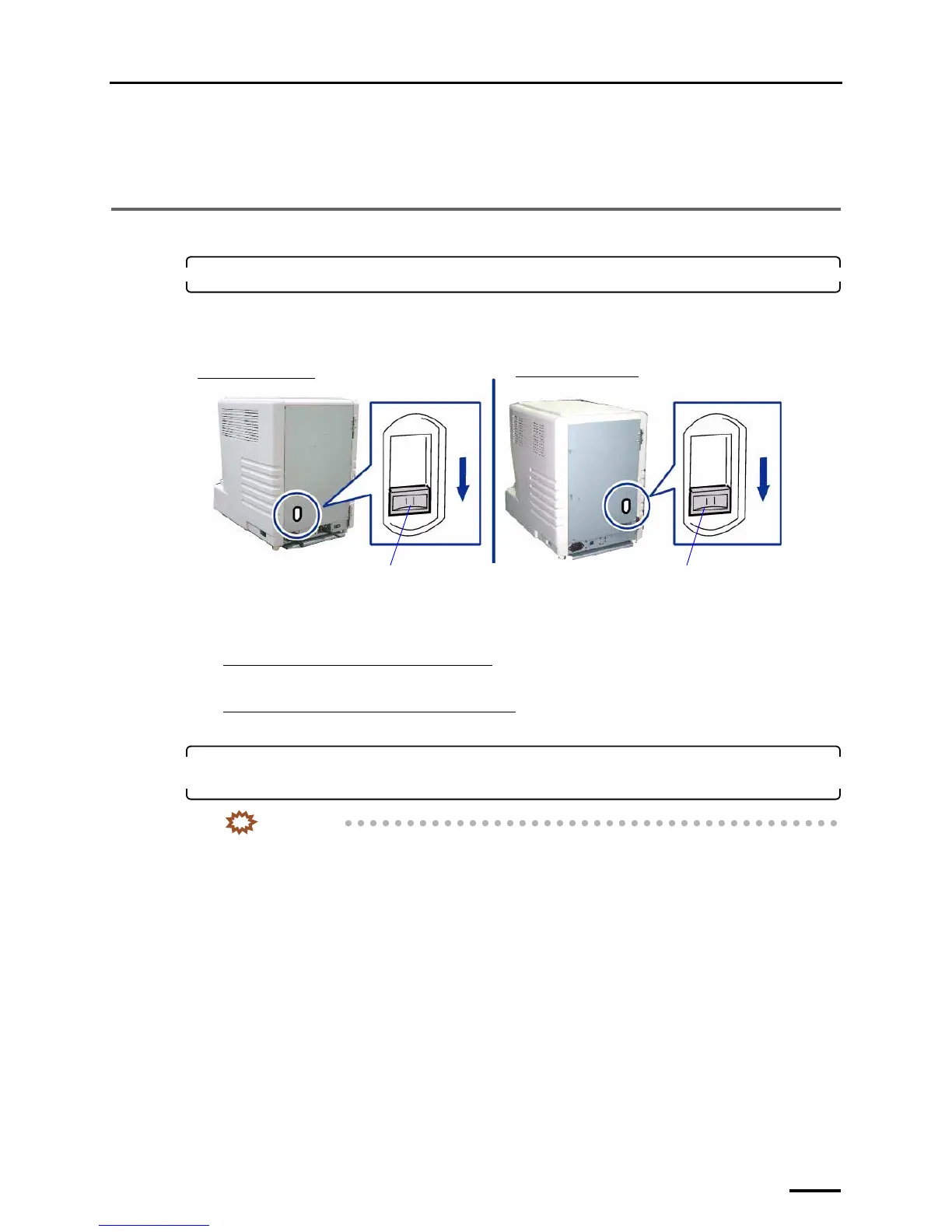
1. Confirm that the transfer switch is set to downside.
Before shipment, it is set to the downside.
If not, set the transfer switch to the downside with a slotted blade screwdriver.
Example: Transfer switch that is set to the downside
The transfer switch is used for selecting whether to supply power from household socket or from the connected
printer to this product.
If supplying power from household socket
Set the transfer switch to the downside.
If supplying power from the connected printer
Set the transfer switch to the upside.
2. Connect the supplied power cord to the scanner, and put the plug into the outlet of the main
power supply.
IMPORTANT
• Use an outlet with ground terminal for the power cord to ground the wire.
• If grounding adapter is used, ground the ground wire from the grounding adapter.
Transfer switch
Transfer switch
Back view of the LS-600
Back view of the LS-1100
G088491



 To Next Page