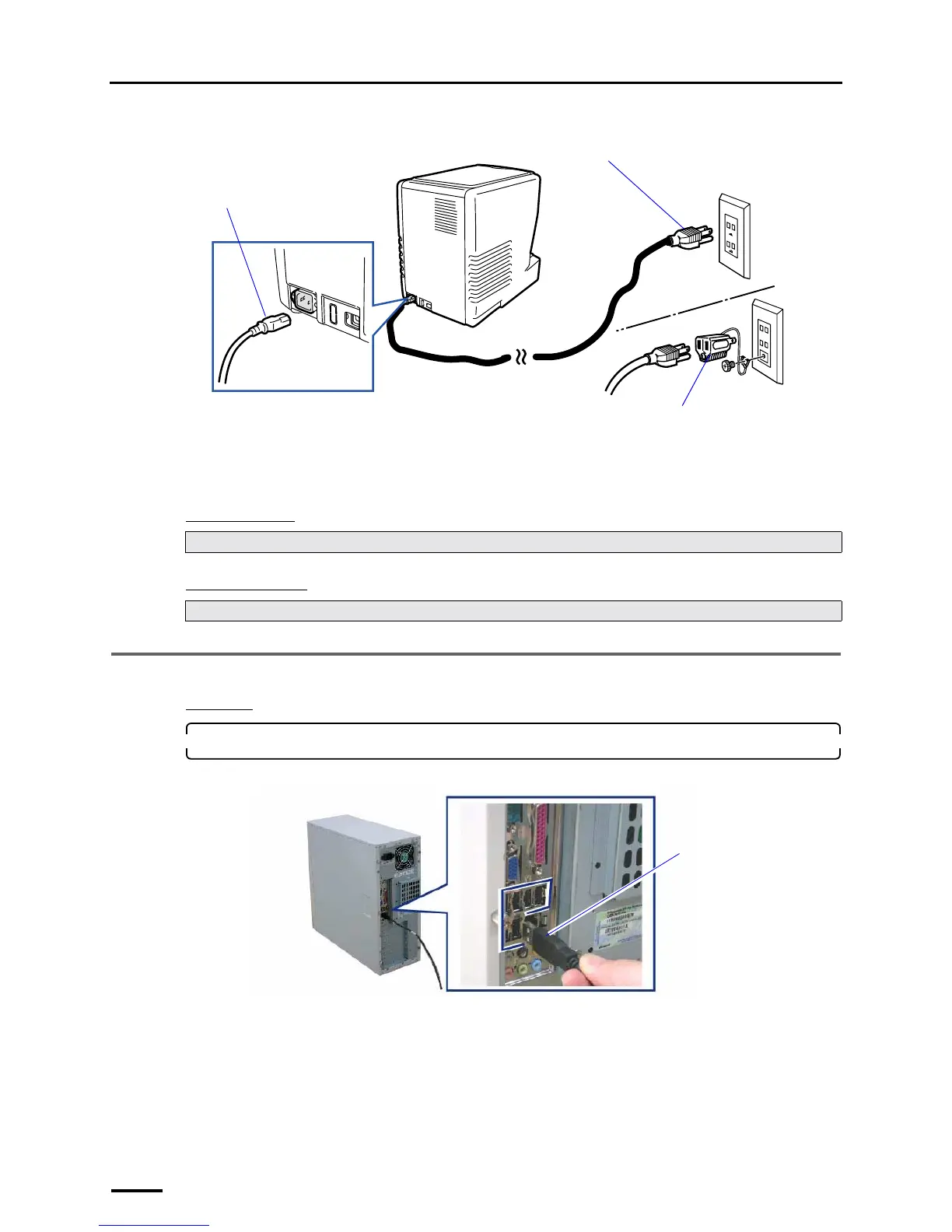
7 Connecting the power supply and setting the USB driver
50
Example:
This completes connecting the power supply.
"
""
" Next, go to • • •
For Windows XP
For Windows Vista
7.2 Configuring USB driver settings
Procedure
1. Connect the scanner to the PC with the supplied USB cable.
PC side
Perform ☞7.2 Configuring USB driver settings.
Perform only Step 1 in ☞7.2 Configuring USB driver settings.
Power cord
Plug
Grounding adapter (prepared by the
user)
G087642
USB cable
You can connect the USB
cable to any USB port.
G087643



 To Next Page