7 Connecting the power supply and setting the USB driver
51
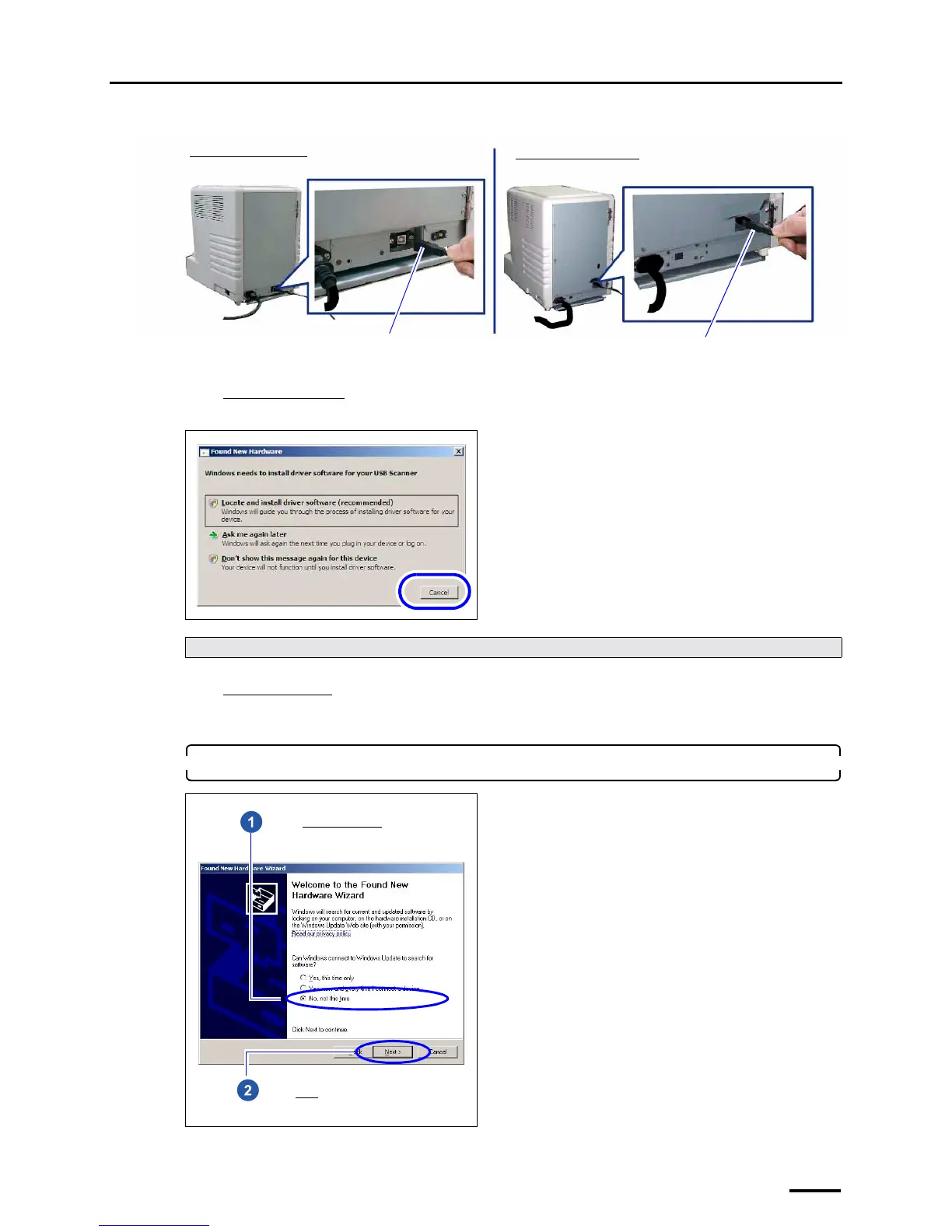
Scanner side
For Windows Vista
When the following display is shown, click Cancel.
For Windows XP
The display to install the USB driver is shown.
Go to Step 2.
2. Install the USB driver.
Next, go to ☞6 Installing the SYSTEM PROGRAM.
USB cable
USB cable
Back view of the LS-600
Back view of the LS-1100
G088603
Select No, not this time.
Click Next.



 To Next Page