6 Installing the SYSTEM PROGRAM
45
6 Installing the SYSTEM PROGRAM
If there is an administrator on the network, ask him/her before installing.
IMPORTANT
• If connecting the scanner to the PC on which the controller is installed, exit the controller application after
restarting the PC.
Bringing up the display
Click F on the Controller Main Display. → Click Quit The Application.
Installation procedure
1. Prepare the following CD.
• LS-# # # # SYSTEM PROGRAM CD
*1
LS-# # # # SYSTEM PROGRAM
*1
is printed on the label.
*1. The model name is shown in # # # #.
2. Insert the SYSTEM PROGRAM CD-ROM.
3. Run the installer.
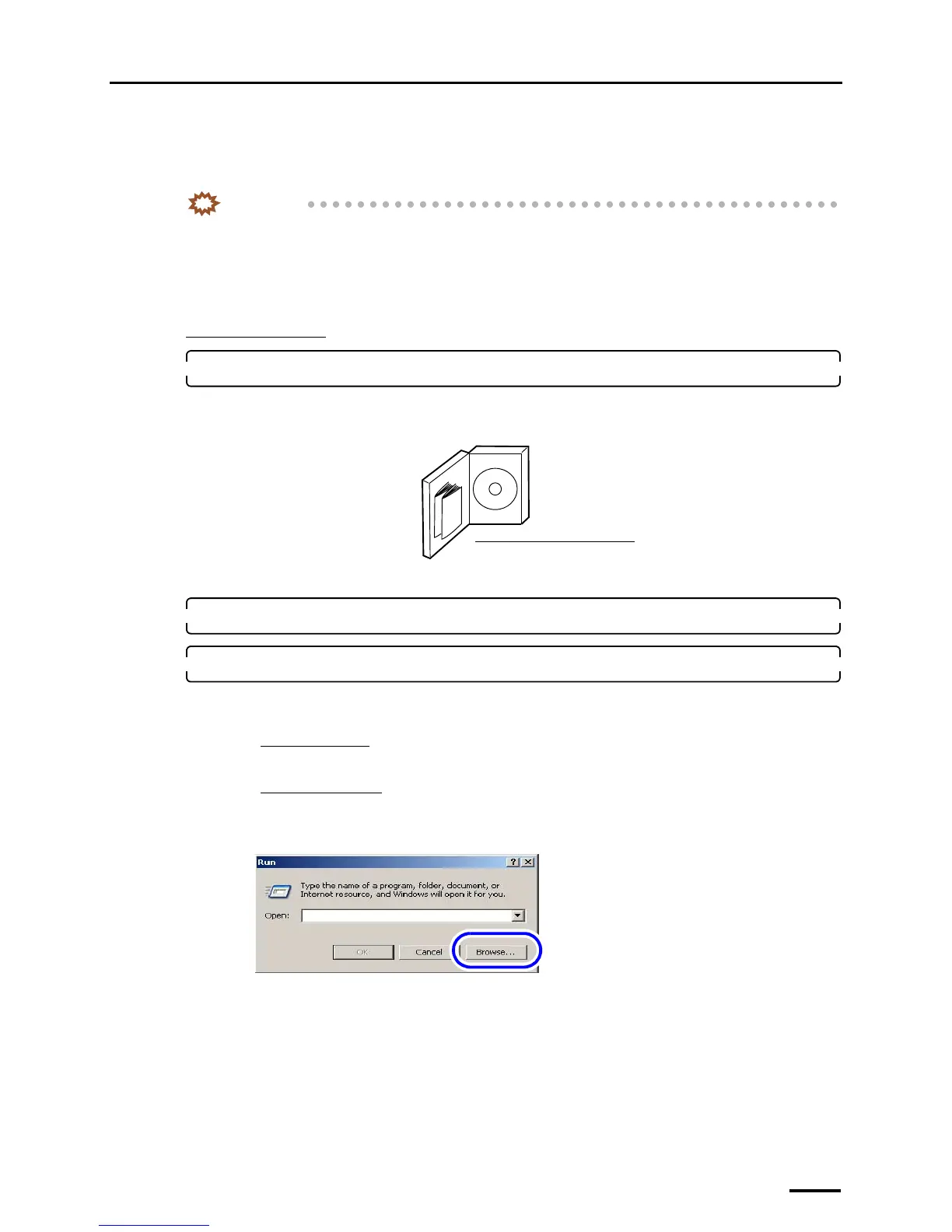
(1) Access the Run display.
For Windows XP
Select Start → Run.
For Windows Vista
Select Start → All Programs → Accessories → Run.
(2) Click Browse.
The Browse display is shown.
(3) Select the drive to which the CD-ROM was inserted →Setup.exe, and click Open.
LS-# # # # SYSTEM PROGRAM CD
*1
G085386
The display slightly varies depending on the
operating system, but the procedure is the same.
S082377



 To Next Page