5 Installing the TWAIN driver
31
5.4 Installing the Microsoft .NET Framework Version 3.0
If the installation display for the Microsoft .NET Framework Version 3.0 is not shown, go to ☞5.5 Installing the
PostgreSQL8.1.
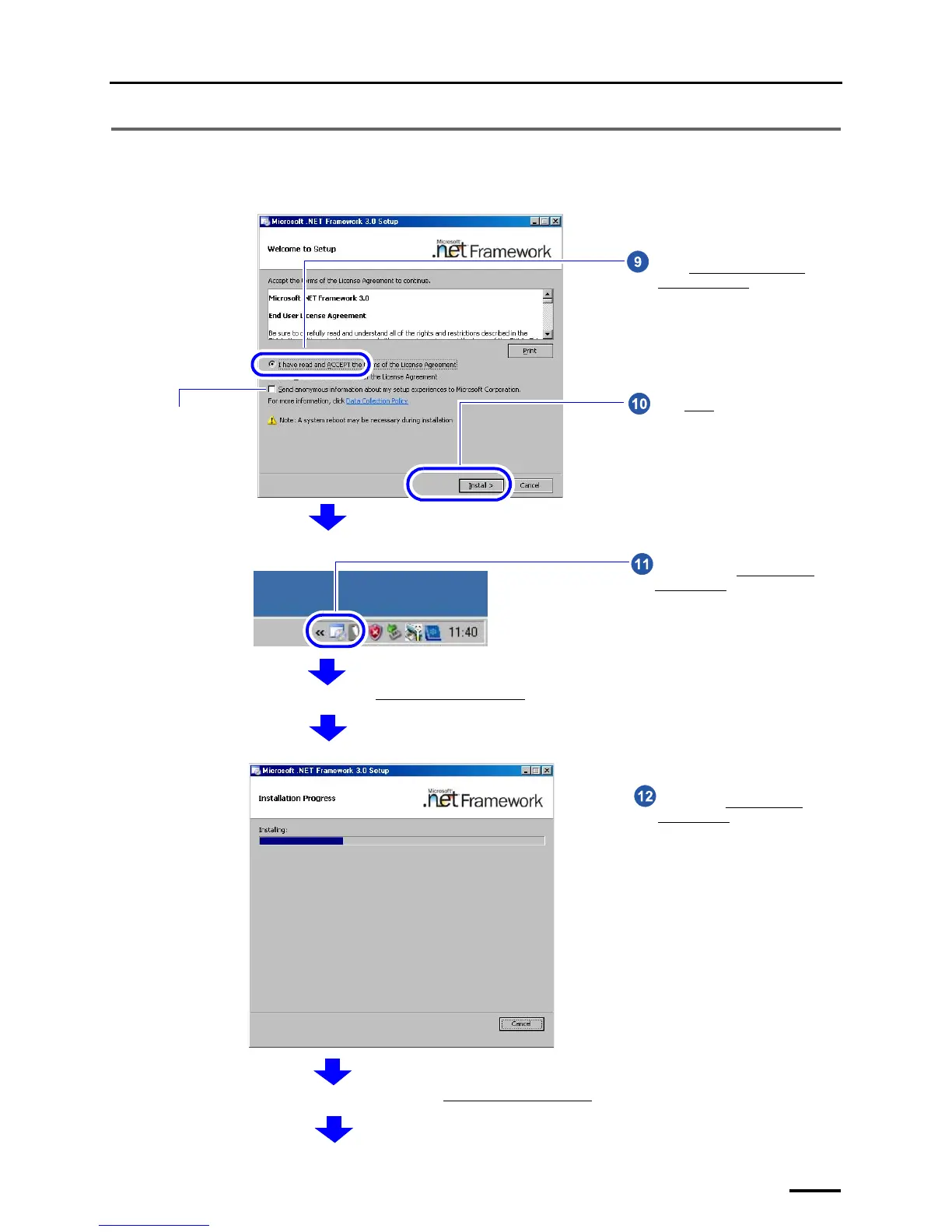
You do not need to
select this check
box.
Select I accept the terms of the
License Agreement.
Click Install
.
S091227
Double-click the Microsoft .NET
Framework 3.0 icon on the taskbar at
the lower right of the screen.
The confirmation display of Microsoft .NET Framework 3.0 installation status is shown.
G091230
Wait until the Microsoft .NET
Framework 3.0 installation is
finished.
The completion screen is shown after the Microsoft .NET Framework 3.0 installation is finished.
S091228



 To Next Page