4 Setting up the PC
25
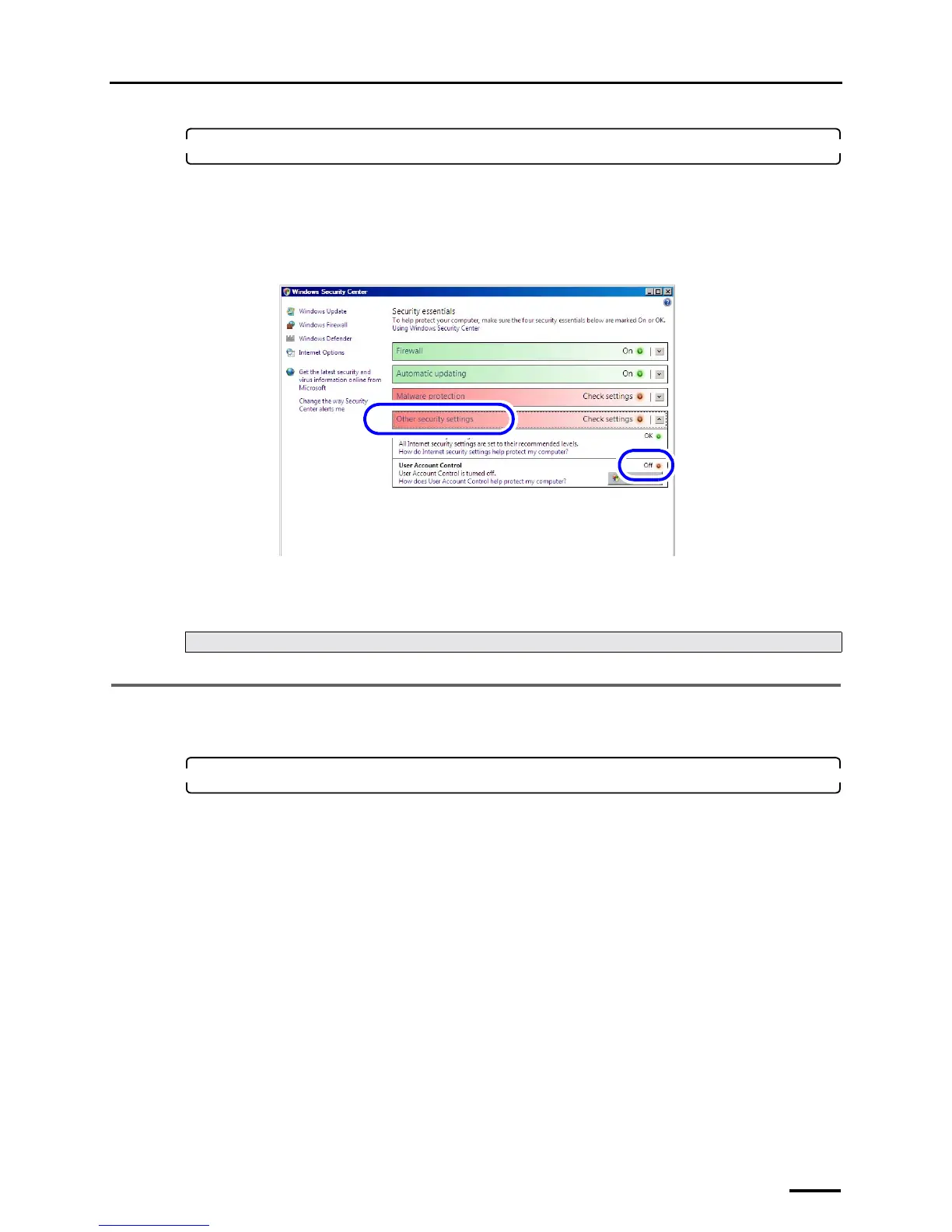
6. Check whether User Account is invalidated.
(1) Access the Windows Security Center.
Bringing up the display
Start → Control Panel → Security → Security Center
(2) Click Other security settings and confirm that User Account Control is set to Off.
(3) Click the Close button at the upper right of the Windows Security Center display to close it.
(4) Click the Close button at the upper right of the Security display to close it.
This completes the User Account Control settings.
4.8 Configuring Sidebar settings
This operation is necessary only for Windows Vista.
1. Access the Windows Sidebar Properties display.
Bringing up the display
Start → Control Panel → Appearance and Personalization → Windows Sidebar Properties
Next, go to ☞4.8 Configuring Sidebar settings.
S091809



 To Next Page