5 Installing the TWAIN driver
43
5.11 Installing the System Capture
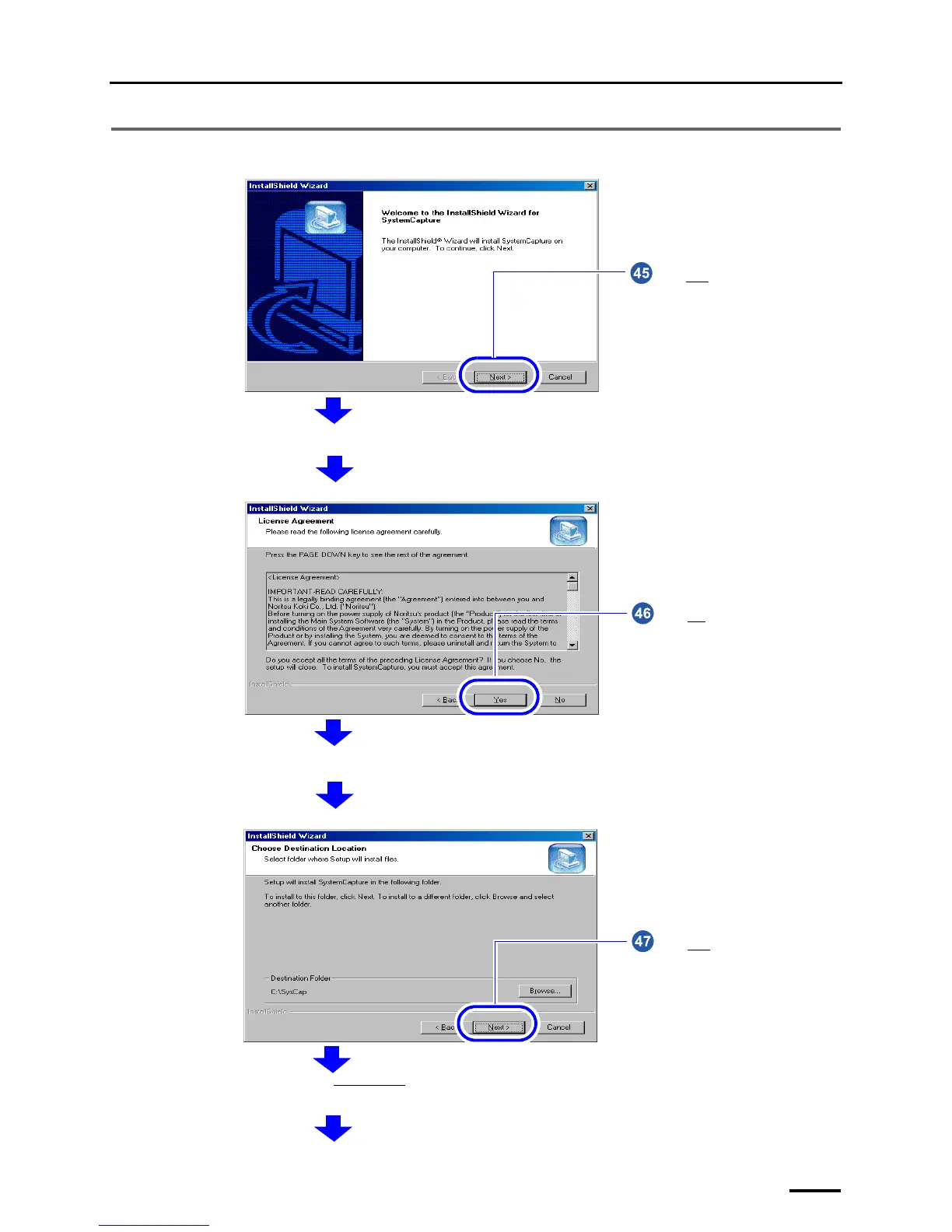
Click Next.
The confirmation display of License Agreement is shown.
S091235
Click Yes.
The confirmation display of the location to save the program is shown.
S091236
Click Next without changing the
settings.
The installation of SystemCapture starts. The completion screen is shown after the installation is finished.
S091237



 To Next Page