5 Installing the TWAIN driver
42
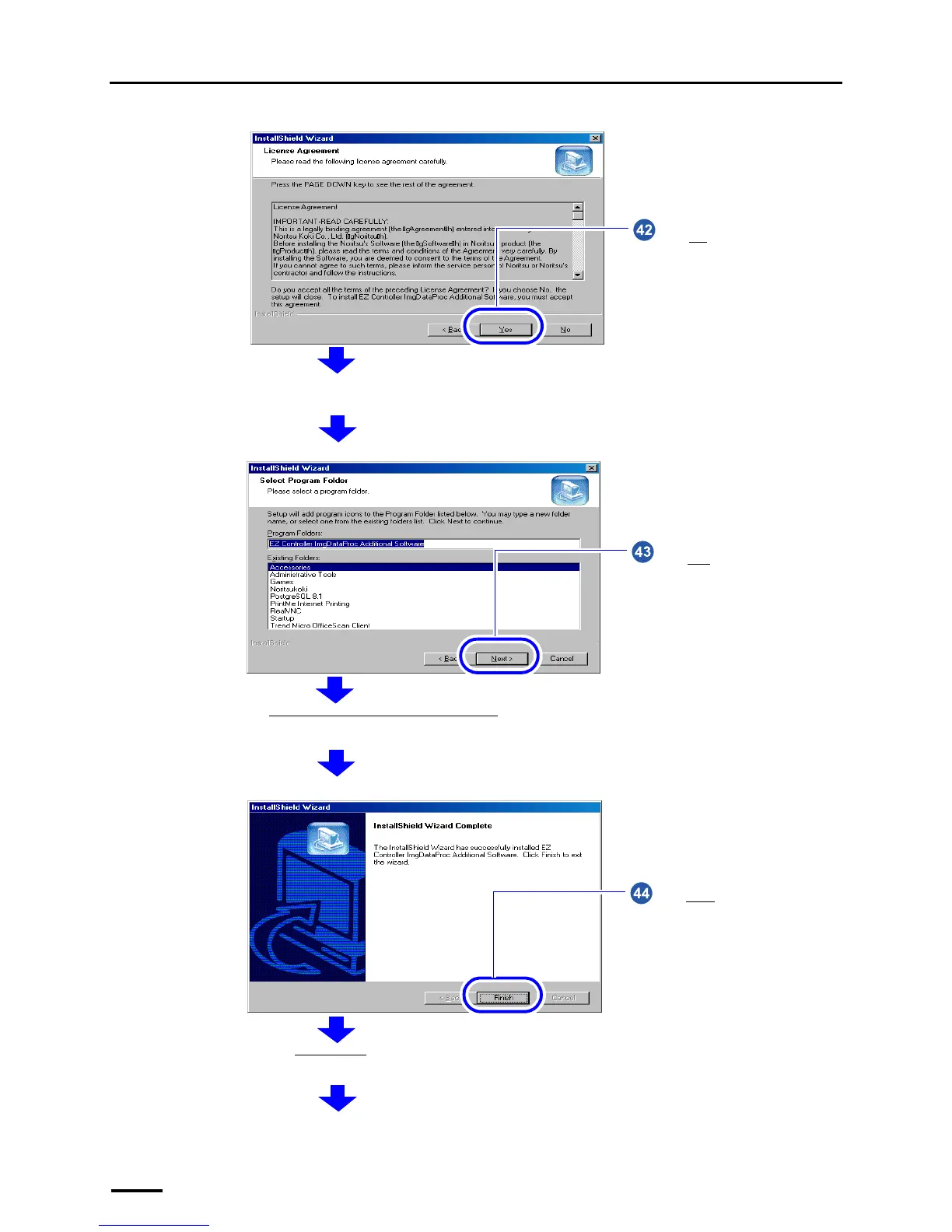
Click Yes.
The confirmation display of the location to save the program is shown.
S091232
Click Next without selecting any
option.
The EZ Controller ImgDataProc Additional Software installation starts. The completion screen is shown after the installation
is finished.
S091233
Click Finish.
Next, the SystemCapture installation screen is shown.
S091234



 To Next Page