4 Setting up the PC
24
4.7 Configuring the User Account Control setting
This operation is necessary only for Windows Vista.
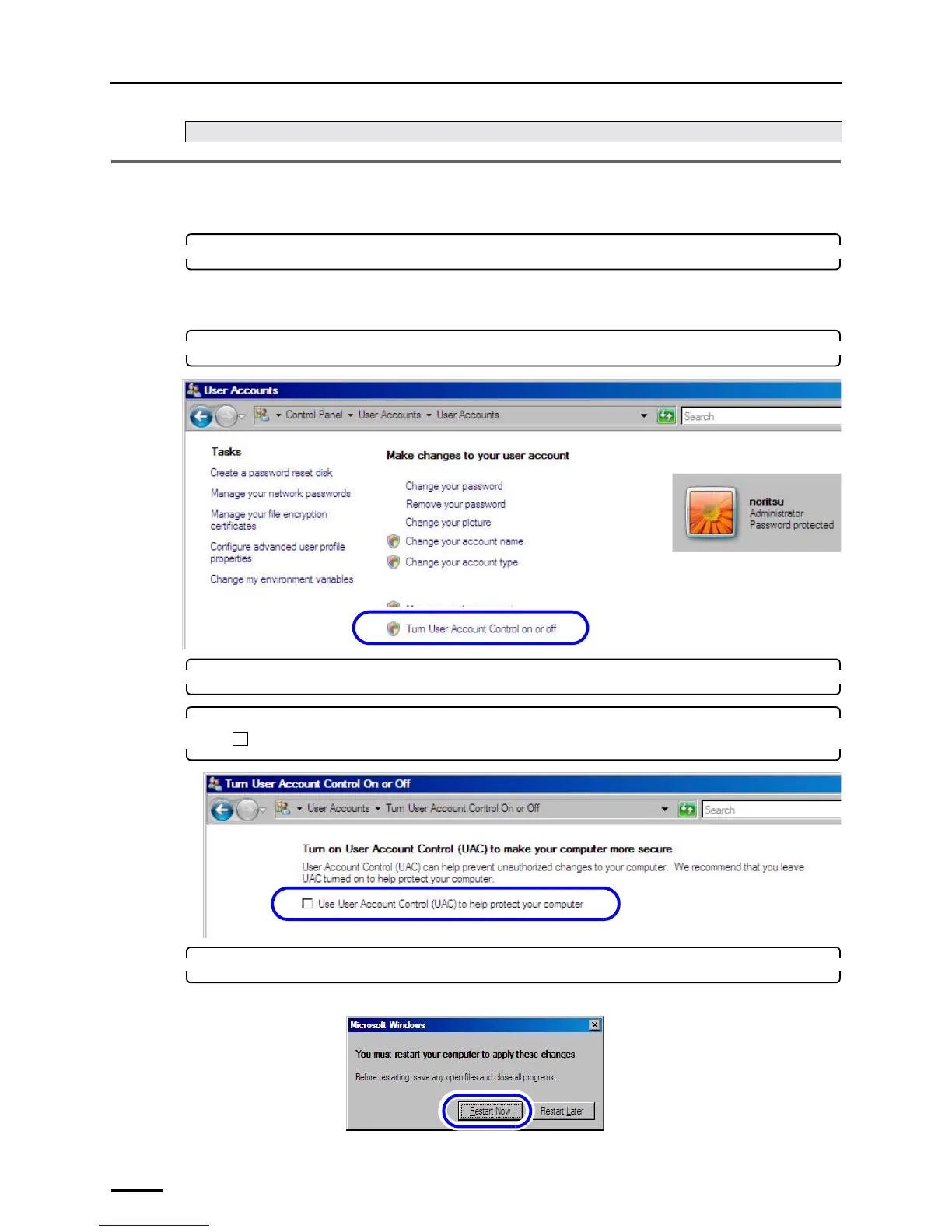
1. Access the User Accounts display.
Bringing up the display
Start → Control Panel → User Accounts → User Accounts
2. Click Turn User Account Control on or off.
3. If the User Account Control display is shown, click Continue.
4. Clear the Use User Account Control (UAC) to help protect your computer check box
().
5. Click OK.
If the following display is shown, click Restart Now.
Next, go to ☞4.7 Configuring the User Account Control setting.
S091806
S091807
S091808



 To Next Page