4 Setting up the PC
17
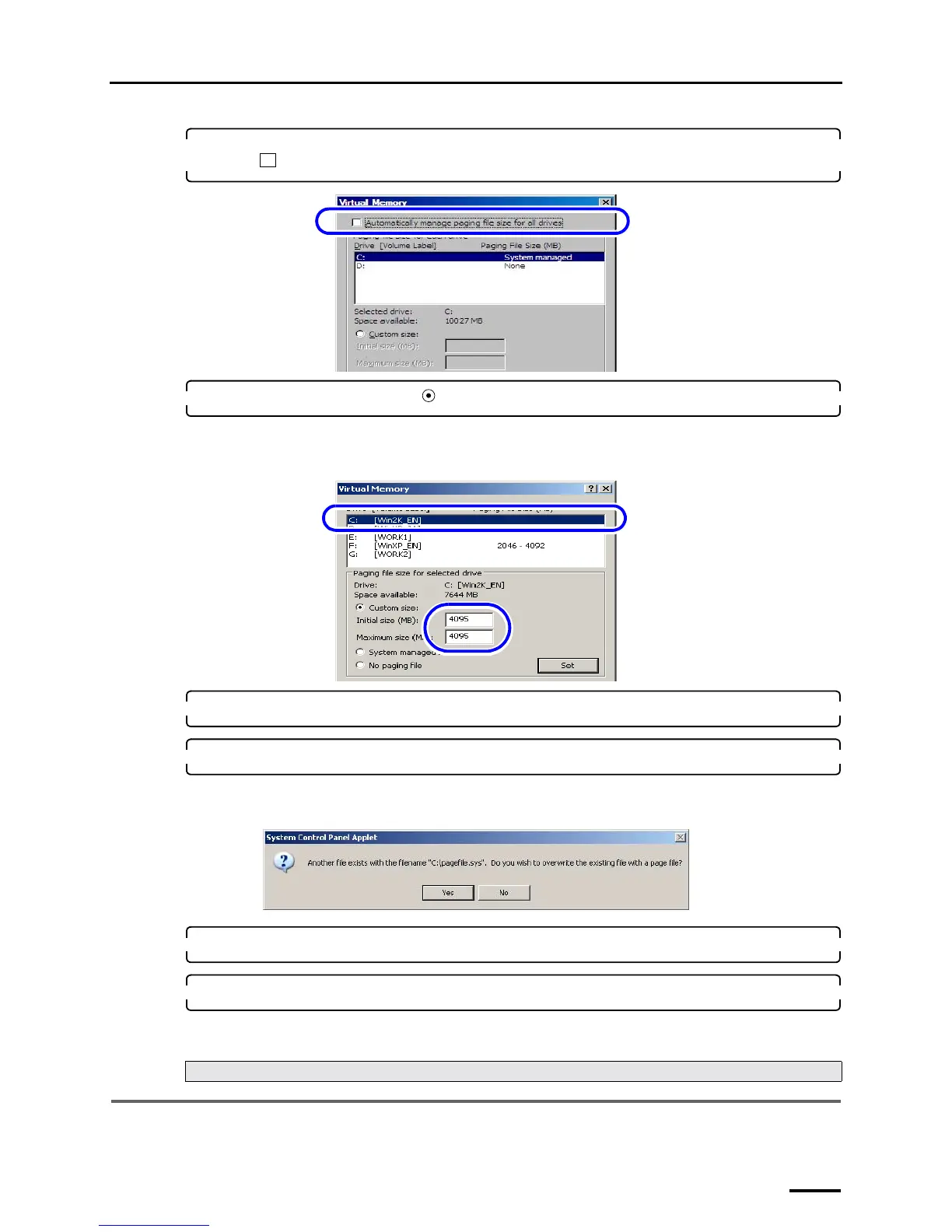
4. For Windows Vista, clear the Automatically manage paging file size for all drives check
box ( ).
5. Select the C drive and select ( ) Custom size, then configure the values as shown below.
• Initial size (MB): 4095
• Maximum size (MB): 4095
6. Click Set.
7. Click OK.
The following display may be shown depending on the settings of the PC. If the following display is shown, click
Yes.
8. Click OK to close the Performance Options and System Properties displays.
9. Click the Close button at the upper right of the display to close it.
This completes configuring the virtual memory.
4.3 Configuring the Transfer Mode
The displays slightly vary depending on the operating system, but the procedure is the same.
Next, go to ☞4.3 Configuring the Transfer Mode.
S091804
S088406
S088630



 To Next Page