4 Setting up the PC
18
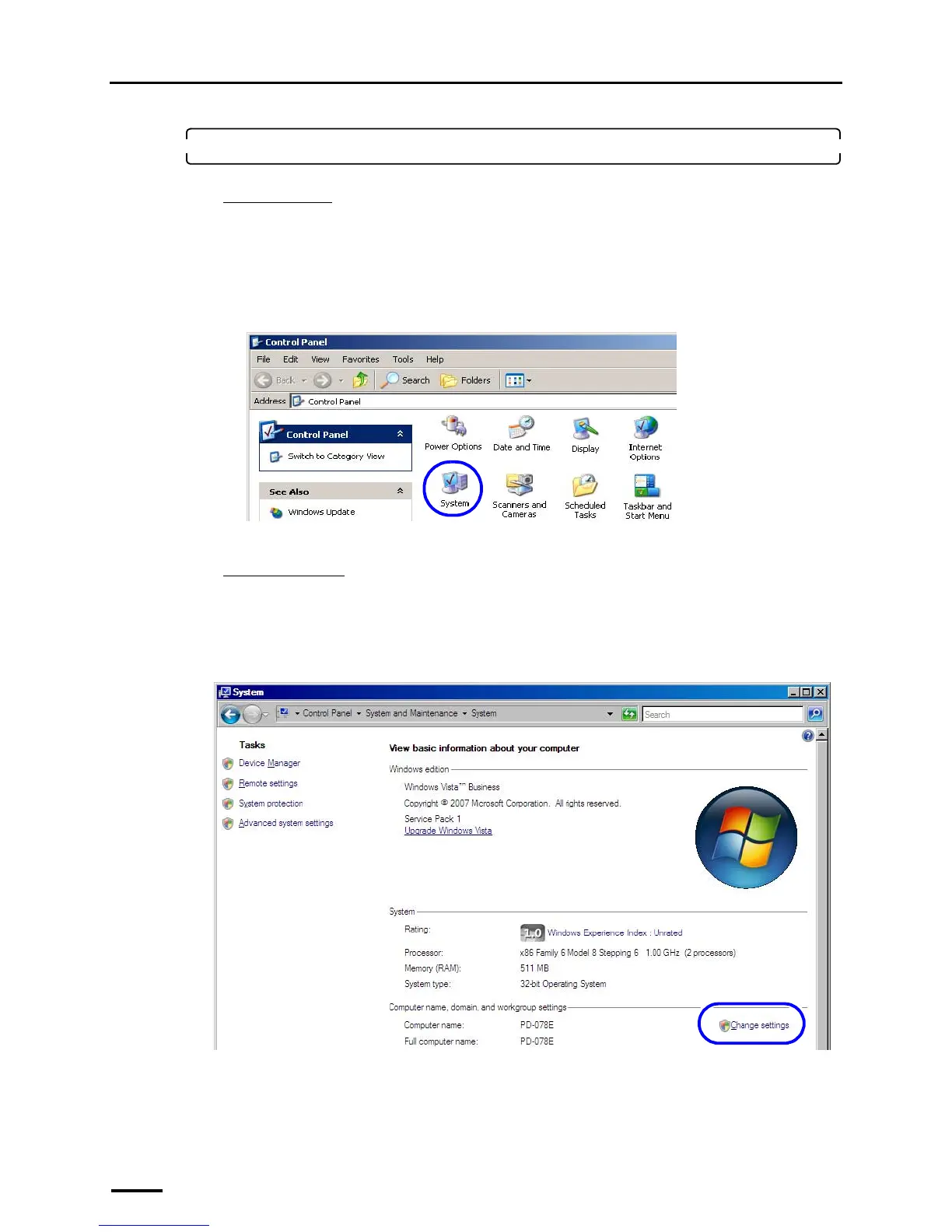
1. Access the System Properties display.
For Windows XP
(1) Access the Control Panel display.
Bringing up the display
Start → Control Panel
(2) Double-click the System icon.
Example:
The System Properties display is shown.
For Windows Vista
(1) Access the System display.
Bringing up the display
Start → Control Panel → System and Maintenance → System
(2) Click Change settings.
The System Properties display is shown.
S079073
S091803



 To Next Page