4 Setting up the PC
19
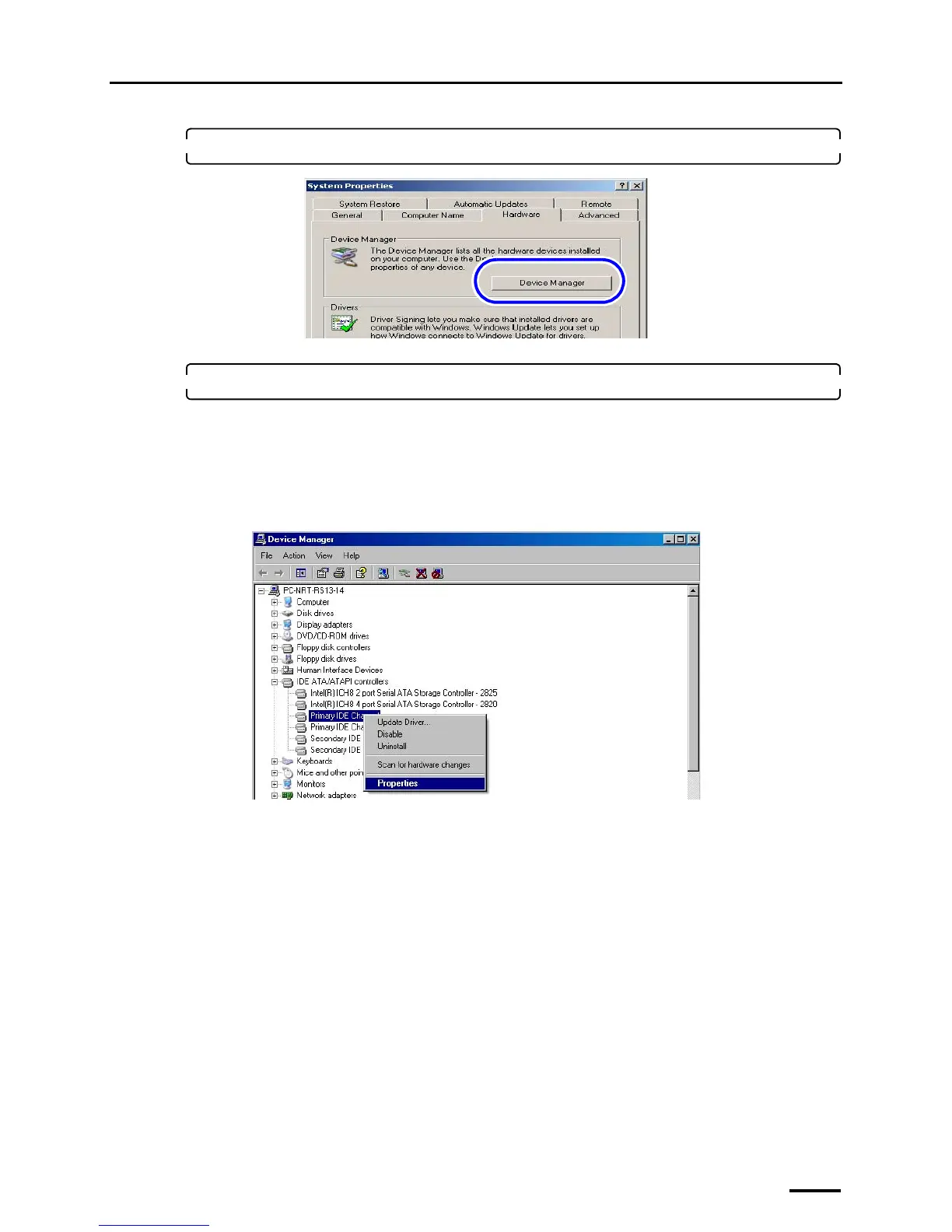
2. Select the Hardware tab and click Device Manager.
The Device Manager display is shown.
3. Access the Primary IDE Channel or Secondary IDE Channel display.
The displayed number of Primary IDE Channel and Secondary IDE Channel varies depending on the settings of
the PC. Configure all Primary IDE Channel and Secondary IDE Channel that are shown onscreen.
Bringing up the display
Double-click IDE ATA/ATAPI controllers on the Device Manager display. → Right-click Primary IDE
Channel or Secondary IDE Channel. → Click Properties.
Example: Primary IDE Channel Properties display
S088648
S088649



 To Next Page