4 Setting up the PC
16
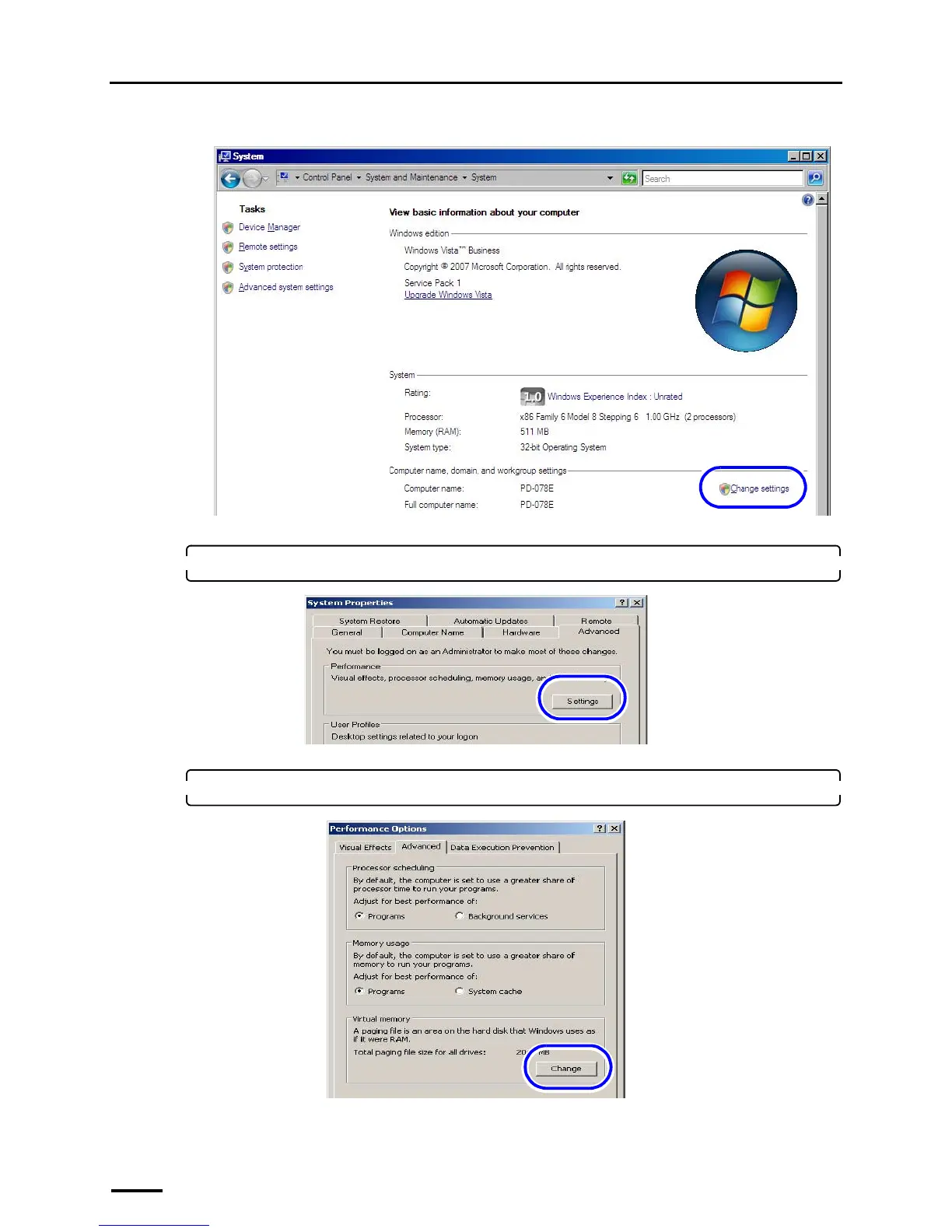
(2) Click Change settings.
The System Properties display is shown.
2. Click the Advanced tab, and click Settings of Performance.
The Performance Options display is shown.
3. Click the Advanced tab, and click Change of Virtual memory.
S091803
S088395
S088405



 To Next Page