7 Connecting the power supply and setting the USB driver
52
If the display below is shown
The installation failed. The USB cable may be connected before installing the TWAIN driver or SYSTEM
PROGRAM. The USB scanner cannot be recognized, uninstall the software.
• Perform the operations from Step 2 to Step 6 in ☞10.2 If connecting the USB cable and starting the PC before
installing the scanner software.
This display may not be shown depending on the setting. Go to the next step if this display is not shown.
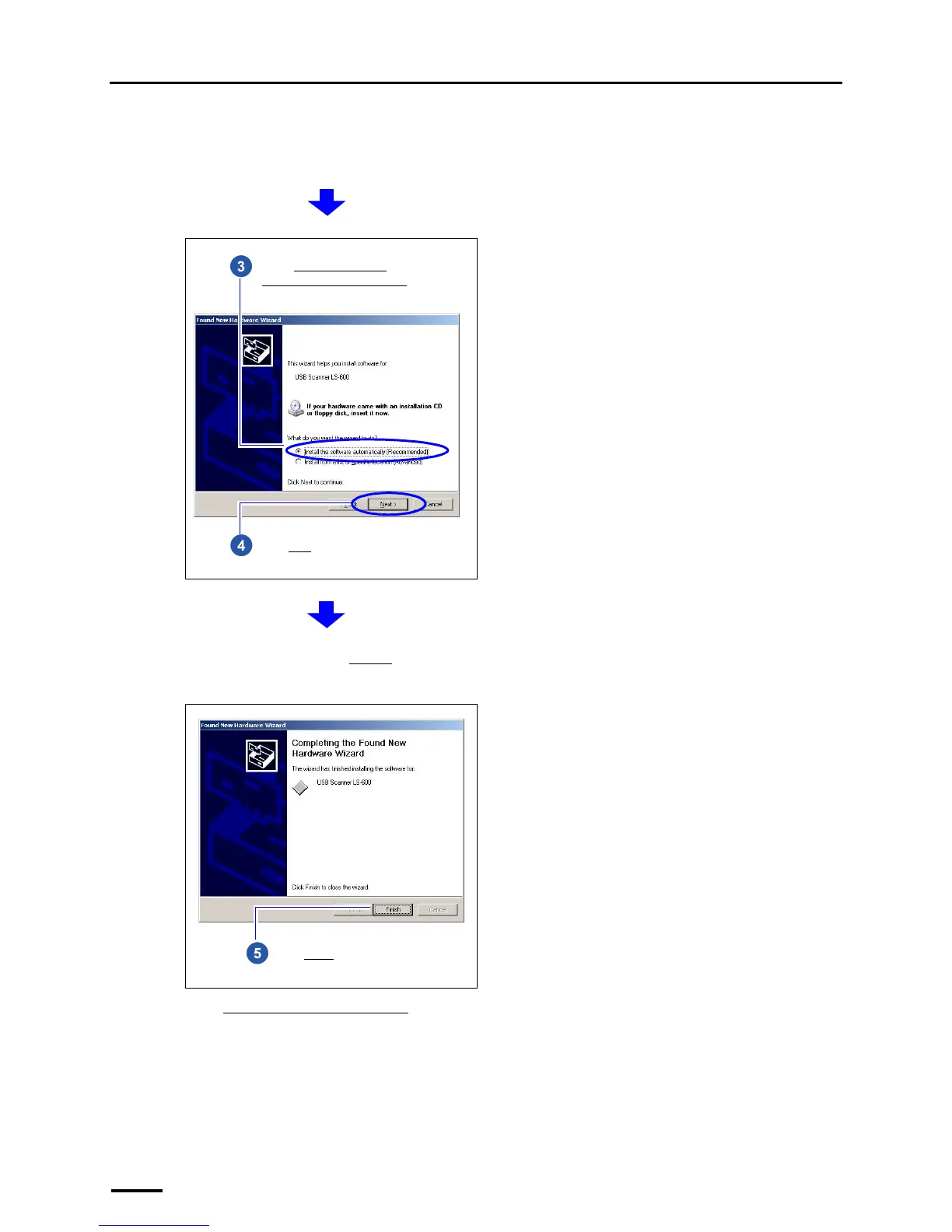
Select Install the software
automatically (Recommended).
Click Next.
If an alert message is shown, click Continue.
Installation automatically starts.
Click Finish.



 To Next Page