5 Installing the TWAIN driver
28
3. Run the installer.
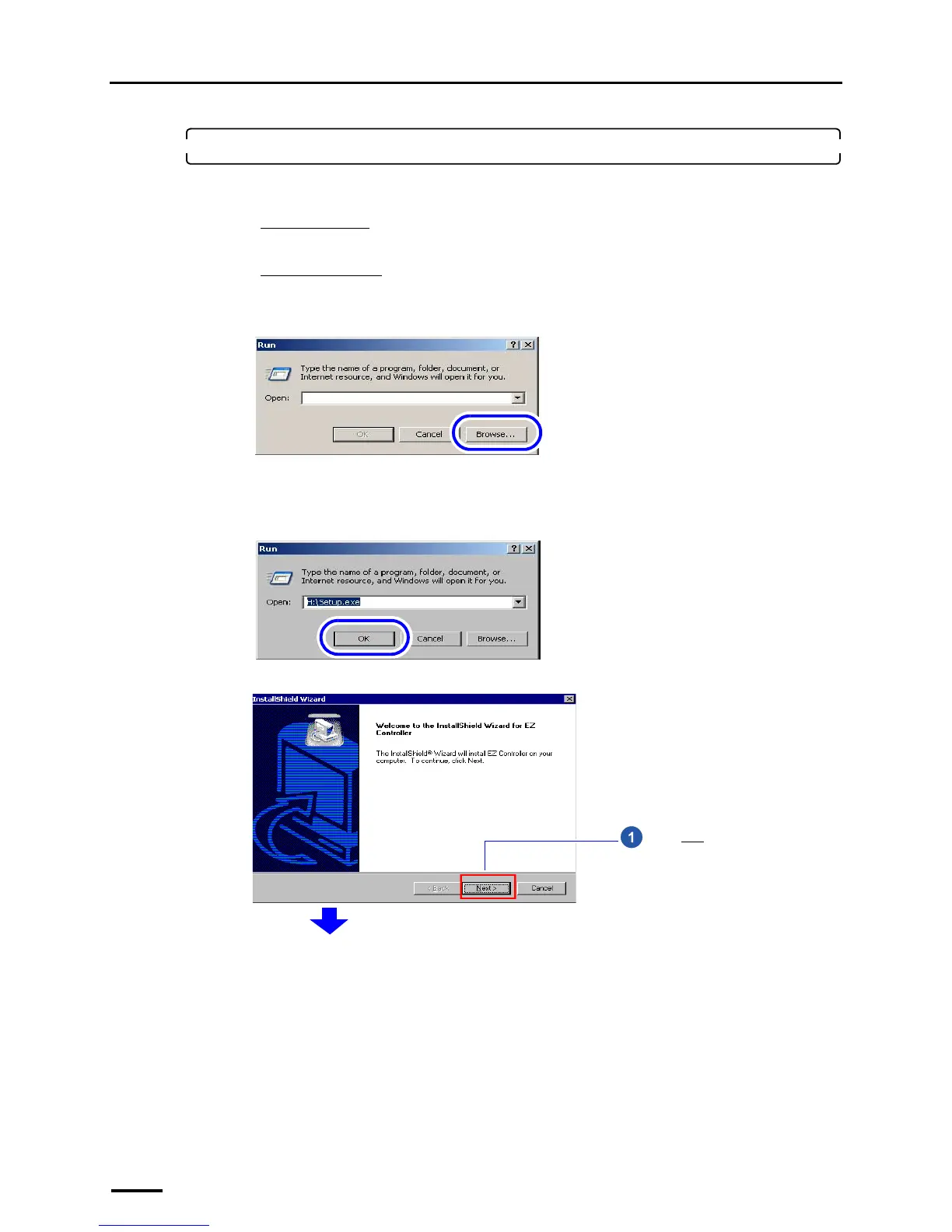
(1) Access the Run display.
For Windows XP
Select Start → Run.
For Windows Vista
Select Start → All Programs → Accessories → Run.
(2) Click Browse.
The Browse display is shown.
(3) Select the drive to which the CD-ROM was inserted →Setup.exe, and click Open.
(4) Click OK.
The installer starts and the InstallShield Wizard display is shown.
The display slightly varies depending on the
operating system, but the procedure is the same.
S082377
The display slightly varies depending on the
operating system, but the procedure is the same.
S088113
Click Next.
S087698



 To Next Page