4 Setting up the PC
22
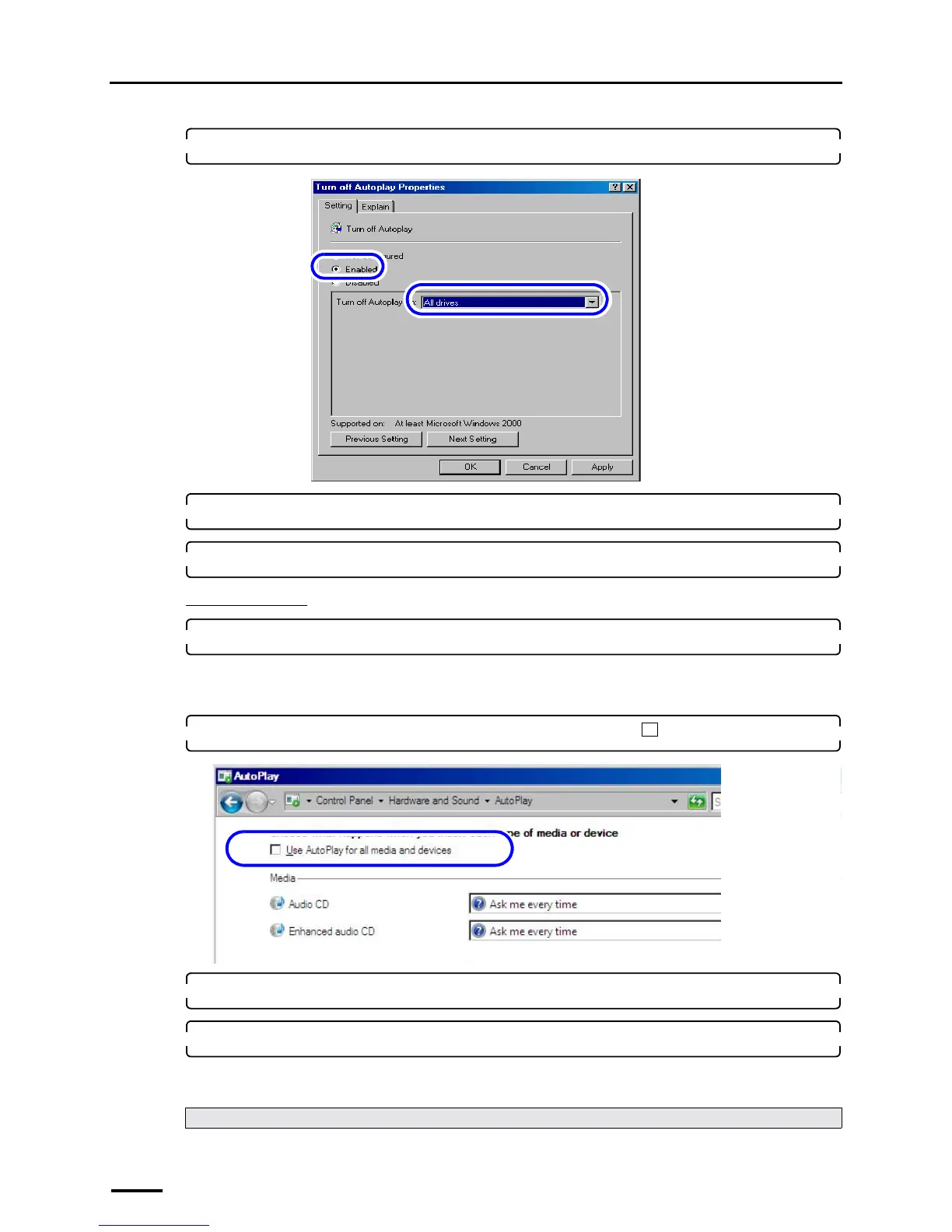
6. Select All drives.
7. Click OK.
8. Click the close button in the upper-right corner of the Group Policy display to close it.
For Windows Vista
1. Access the AutoPlay display.
Bringing up the display
Start → Control Panel → Hardware and Sound → AutoPlay
2. Clear the Use AutoPlay for all media and devices check box ( ).
3. Click Save.
4. Click the Close button at the upper right of the AutoPlay display to close it.
This completes turning off autoplay of the media drive.
Next, go to ☞4.5 Setting the taskbar.
S088718
S091805



 To Next Page